
You have a brilliant idea for an online business, you are ready to share it with the world, but you are immediately stopped in your tracks by the ultimate tech dilemma: should you use a website builder vs WordPress?
If you are a complete beginner, diving into website creation can feel like learning a foreign language. You hear people arguing passionately for WordPress because it powers nearly half the internet. Then you see stunning, modern sites built in an afternoon using tools like Framer or Wix, and you wonder if you should just take the easy route.
You are not alone in this confusion. Choosing the right platform is the single most important decision you will make for your new online business. Make the wrong choice, and you might find yourself battling broken code or paying for expensive redesigns months down the line.
In this guide, I am going to break down the exact differences between website builders and WordPress in plain, simple English. No jargon, no confusing tech speak—just a friendly, honest comparison to help you choose the perfect foundation for your site today.
Let’s dive in.
The Core Difference: Renting an Apartment vs. Buying a House
Before we look at features and pricing, it helps to understand the fundamental difference between the two approaches.
Using a website builder is like renting a fully furnished luxury apartment. The property management handles all the maintenance, security, and plumbing. You just move in, arrange the furniture, and enjoy your life. However, you don’t own the building, and there are strict rules about knocking down walls.
Using WordPress, on the other hand, is like buying your own plot of land and building a house. You have absolute, 100% ownership and control. You can add ten extensions, paint the walls neon green, and build a pool in the living room if you want to. But because you own it, you are also responsible for the maintenance, security, and making sure the roof doesn’t leak.
(To build that WordPress “house,” you will need a plot of land, which is called web hosting. You can read our guide on How to Choose the Best Hosting for Beginners for more on that).
What is a Website Builder?
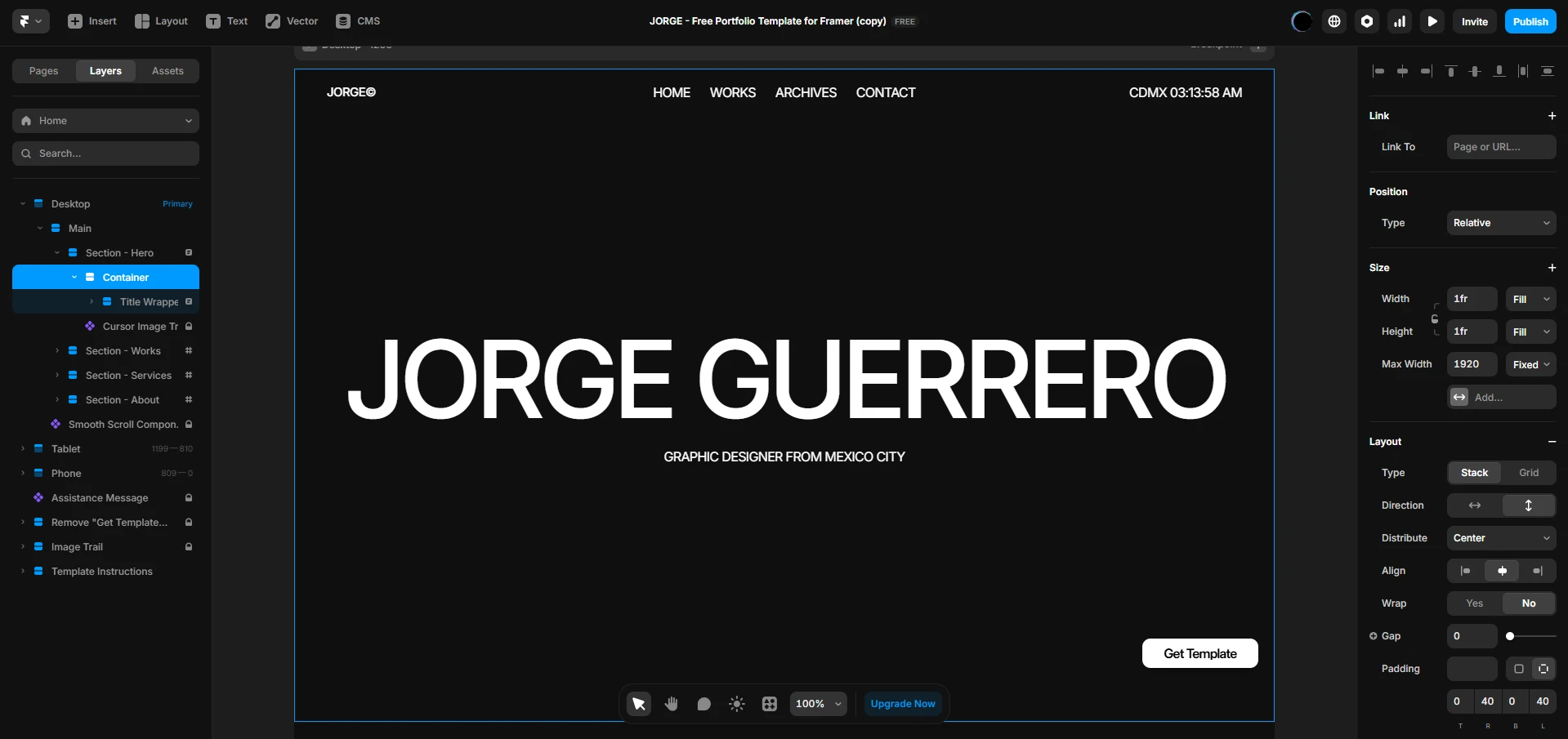
A website builder is an all-in-one software platform that lets you design, build, and publish a website without touching a single line of code. Everything is handled for you: the hosting, the security, and the design tools are all wrapped up in one monthly subscription.
Top examples include platforms like Framer, Webflow, Wix, and Squarespace.
The Pros of Website Builders
- Incredible Ease of Use: You use a visual “drag-and-drop” editor. What you see on your screen is exactly what your visitors will see.
- Zero Maintenance: You never have to update plugins, run backups, or worry about security patches. The company handles all the technical heavy lifting.
- Speed to Launch: You can literally sign up, pick a template, add your text, and publish your website in an afternoon.
- Built-in Support: If something breaks, you have a dedicated customer support team to email or live chat.
The Cons of Website Builders
- You Don’t Own the Platform: If the website builder company goes out of business or raises its prices drastically, you are stuck. You cannot easily pack up your site and move it elsewhere.
- Feature Limitations: While modern builders are powerful, you are limited to the features they officially offer. You cannot custom-code complex software into them easily.
What is WordPress?
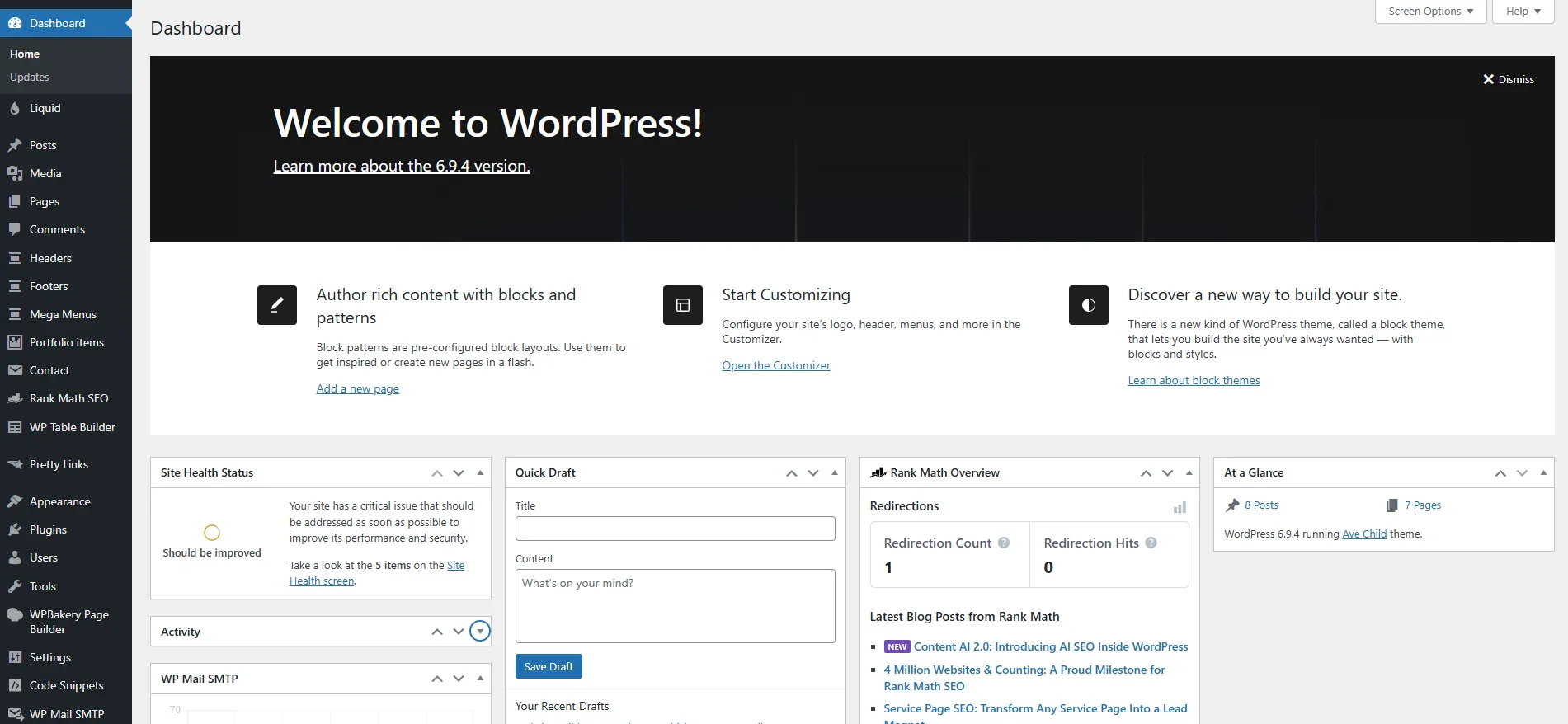
When people say “WordPress,” they are usually talking about WordPress.org (not the commercial WordPress.com). WordPress is an open-source content management system (CMS). “Open-source” simply means the core software is 100% free for anyone to use, modify, and build upon.
However, because the software is free, it doesn’t come with a “house” to live in. You must rent your own server space (web hosting) to install it on.
The Pros of WordPress
- Total Ownership: You own your website files. You can move your site to any hosting provider in the world whenever you want.
- Limitless Customization: Because it is open-source, developers have created tens of thousands of free and premium plugins (little apps you add to your site). Need a course portal, a forum, or advanced SEO tools? There is a plugin for that.
- Unbeatable for Blogging: WordPress started as a blogging platform, and it remains the undisputed king of managing massive amounts of content.
- Cheaper Long-Term: While you have to pay for hosting, basic hosting is incredibly cheap compared to website builder subscriptions.
The Cons of WordPress
- The Learning Curve: WordPress does not have a native drag-and-drop editor out of the box (though you can install plugins to add one). The dashboard takes time to learn.
- You Are the IT Department: You are responsible for clicking “update” on your plugins, managing security, and taking backups. If a plugin breaks your site, it is up to you to fix it.
Head-to-Head Comparisons
Now that we know what they are, let’s see how a website builder vs WordPress compares in the categories that matter most to complete beginners.
1. Ease of Use and Learning Curve
Winner: Website Builders
If you want to Build Your First Website with zero headaches, website builders win this round hands down. Platforms like Wix or Framer are designed specifically for non-technical people. You click a text box to type, and you drag an image where you want it.
WordPress requires you to learn how to navigate its dashboard, understand the difference between “Posts” and “Pages,” learn how to install themes, and figure out how plugins interact. It is not impossible—millions of beginners figure it out—but it requires patience.
2. Design and Templates
Winner: Tie
This is a close call. Website builders have incredible, modern templates. For example, Framer has a marketplace with over 1,100+ free templates that look like they were built by expensive design agencies.
However, WordPress has literally thousands of themes available across the internet. Whatever niche you are in, there is a WordPress theme for it. The catch? Customizing a WordPress theme to look exactly how you want often requires buying a premium page-builder plugin, adding another layer of complexity.
3. Cost and Ongoing Expenses
Winner: WordPress (For Budget Seekers)
This surprises many beginners. Because website builders are all-in-one, they charge a premium.
- Framer offers a free plan, but custom domains start from $10/mo.
- Squarespace starts from $16/mo.
- Wix starts from $17/mo.
With WordPress, the software is free. You only pay for web hosting. If you use our top recommendation, Hostinger, you can get premium hosting for under $3/mo, which includes a free domain name and 24/7 support. That makes WordPress significantly cheaper over a year.
4. Search Engine Optimization (SEO)
Winner: WordPress
If your entire business model relies on writing hundreds of blog posts and ranking on Google, WordPress is the industry standard. With free plugins like RankMath or SEO tools like Semrush, you can control every tiny detail of your site’s technical SEO.
Website builders have improved their SEO capabilities drastically in recent years, but they still don’t offer the granular, down-to-the-code control that WordPress does.
5. Maintenance and Security
Winner: Website Builders
With WordPress, if you forget to update an outdated plugin, a hacker could potentially access your site. You need to install security plugins and set up automatic backups.
With a website builder, you don’t even have to think about the word “security.” The platform employs teams of engineers to ensure servers are secure, backups are automatic, and the software is up-to-date. Peace of mind is fully included in your monthly subscription.
My Final Recommendation: Which Should You Choose?
I promised I wouldn’t sit on the fence, so here is my definitive advice.
You should choose a Website Builder if:
You are a creator, a freelancer, a small local business, or someone who wants a stunning, modern website live by this weekend. If you care deeply about design but have zero interest in learning how servers or plugins work, this is your path.
- Our Recommendation: Use Framer. It is our Top Pick for creators and startups, offering a highly visual, modern interface with a free plan to start.
You should choose WordPress if:
You want to build a massive blog, an affiliate marketing empire, or a complex membership site. If you want 100% ownership of your business assets and want to keep your monthly costs as low as humanly possible, WordPress is the undisputed champion.
- Our Recommendation: Pair WordPress with Hostinger. At under $3/mo with a free domain, it is the most beginner-friendly and budget-friendly way to launch a serious online business.
At the end of the day, the best choice between a website builder vs WordPress is the one that gets you to take action. Don’t let perfectionism stop you. Pick a platform, build your site, and start growing your business! If you want to see a full list of all our top choices, check out our guide on the .
Frequently Asked Questions (FAQ)
Can I move from a website builder to WordPress later?
It is possible, but it is a painful process. Because you don’t own the underlying code of a website builder, you usually have to manually copy and paste your content over to a new WordPress site. It is best to choose the right platform from day one.
Is WordPress completely free?
The core WordPress software is 100% free. However, a website needs space on the internet to live. You must pay for “web hosting” (which can be as cheap as $3/mo with providers like Hostinger) and a domain name (like yoursite.com).
Do I need to know how to code to use WordPress?
No! While knowing code allows you to do advanced customizations, millions of beginners use WordPress without knowing HTML or CSS. You can use free page-builder plugins to give WordPress a drag-and-drop interface similar to a website builder.
Which platform is better for making money online?
Both can make you money, but they excel in different areas. If you are selling digital products, portfolios, or quick services, a builder like Framer is excellent. If you want to make money through affiliate marketing or display ads via a high-traffic blog, WordPress is the superior choice.
