
You’re ready to launch a website. You’ve googled hosting, and Hostinger keeps appearing everywhere with prices that seem almost too good to be true. “$1.99 a month? Surely there’s a catch.”
There is. But it’s not the catch you’re probably imagining. This Hostinger review is written for complete beginners who just want a straight answer: what do you actually get, how does it perform, what does it really cost long-term, and is it the right choice for your first website?
No affiliate cheerleading, no vague positives. Just the full picture, including the things most reviews bury at the bottom.
Quick Verdict: Hostinger at a Glance
Category | Rating | Score | Note |
Ease of Use (hPanel) | 5.0/5 | One of the best beginner dashboards available | |
Page Load Speed | 4.5/5 | LCP 0.6s, 136ms avg global response time | |
Uptime Reliability | 4.5/5 | 100% in latest TechRadar 10-week test | |
Pricing Value | 4.5/5 | Best-in-class intro prices; renewal jumps significantly | |
WordPress Integration | 4.5/5 | One-click install, LiteSpeed cache, staging on Business | |
Customer Support | 3.5/5 | 24/7 live chat but AI-first; no phone support | |
Beginner-Friendliness | 5.0/5 | AI assistant Kodee, clear hPanel, guided setup | |
Data Center Spread | 5.0/5 | 11 countries across 4 continents; CDN included | |
Overall | 4.5/5 | Excellent for beginners & budget-conscious builders |
Bottom line: Hostinger is one of the best-value hosting providers for beginners in 2026. It’s fast, reliable, genuinely easy to use, and packed with features at prices competitors can’t match on introductory rates. The one thing you must plan for: renewal prices are significantly higher than the promotional rate you sign up with.
What Is Hostinger?
Hostinger is a web hosting company founded in Lithuania in 2004. Web hosting, if you’re new to the term, is the service that stores your website’s files on a server and makes them accessible to anyone who types your web address into a browser. Without hosting, your website simply doesn’t exist on the internet.
Over the past two decades, Hostinger has grown to serve over 29 million customers across 150+ countries, making it one of the largest hosting providers in the world. It’s particularly well-known for aggressive introductory pricing combined with a surprisingly capable feature set — a combination that makes it a popular starting point for bloggers, small business owners, and first-time website builders.
In recent years, Hostinger has also expanded beyond hosting, offering an AI website builder called Horizons, an email marketing tool called Hostinger Reach, and a no-code app builder — though hosting remains its core product.
How Easy Is Hostinger to Use? (hPanel Explained)
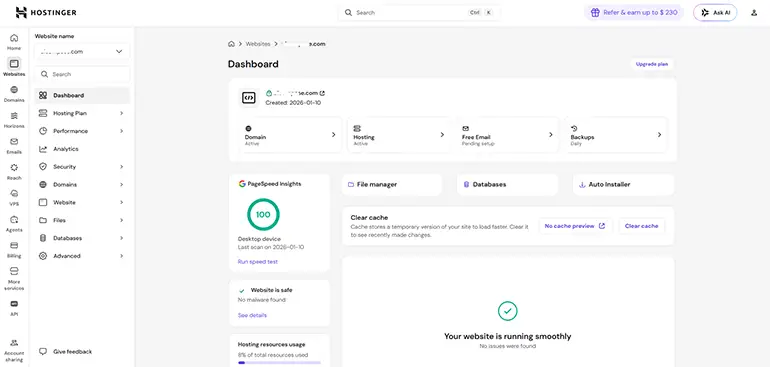
Most web hosts use a control panel called cPanel to manage your hosting. Hostinger built their own from scratch, called hPanel. For beginners, this is one of Hostinger’s biggest advantages.
The difference matters because cPanel can feel cluttered and overwhelming for first-timers. hPanel uses a clean, modern layout where every website you host gets its own individual dashboard. Each dashboard has clearly labelled sections for installing WordPress, managing files, viewing analytics, handling email, setting up SSL certificates, and more. Everything has helpful tooltips explaining what it does.
In January 2026, Hostinger upgraded their built-in AI assistant, Kodee, so it can now actually execute over 350 tasks directly — including site migrations, health checks, and performance optimisations — not just answer questions. For beginners who get stuck, this is genuinely useful.
One standout feature: hPanel shows you real-time CPU, RAM, and bandwidth usage for your site. You know exactly how much of your plan’s resources you’re using, and you get alerts if you’re approaching the limit. Most cheap hosts don’t give you this visibility.
💡 Prefer cPanel? Hostinger doesn’t use cPanel on standard shared hosting plans. If your workflow depends on cPanel specifically, you’ll need to look at providers like SiteGround or Bluehost, or opt for Hostinger’s VPS plans where you can install it yourself.
How Fast Is Hostinger? Real Performance Data
Speed matters more than ever. Google uses page load time as a ranking factor, and slow-loading sites lose visitors fast. Here’s what independent testing actually shows for Hostinger in 2025–2026:
Load Speed
- LCP (Largest Contentful Paint): 607 seconds in TechRadar’s GTmetrix testing — the second fastest result across 15 providers tested (source: TechRadar, verified April 2026)
- Page load time: 878ms average across 16 US and European locations in Dotcom Tools testing (top 25% of all providers)
- Global server response: 136ms average across 8 data center locations — faster than the 180ms benchmark for “fast” hosting (source: Bitcatcha 2026)
Uptime
- TechRadar (10 weeks, shared hosting): 100% uptime
- Cybernews (Dec 2025, multi-location): 100% uptime, 246ms server response time
- HostingStep (Q4 2025, Business plan): 99% with only 4 outages totalling 18 minutes in 135 days
- Historical improvement: Downtime dropped from 1,228 minutes in 2021 to just 33 minutes in 2025. Hostinger dramatically improved reliability from 2024 onwards.
⚠️ Honest note on speed: These results are for well-optimised test sites. Real-world speed depends on your site’s images, plugins, and whether you use LiteSpeed caching. On the Business plan, a CDN is included, which noticeably improves global load times. On the Premium plan, you’ll want to manually enable caching for best results.
What Powers Hostinger’s Speed?
- LiteSpeed Web Server: 50% faster PHP execution than Apache-based servers, and up to 6x faster for static content delivery
- NVMe SSD Storage: Available on Business plan and above — significantly faster read/write speeds vs standard SSD
- 11 global data center locations: Europe (France, Germany, Lithuania, Netherlands, UK), Asia (India, Indonesia, Malaysia, Singapore), Americas (3 US locations, Brazil)
- Built-in CDN: Included with Business plan. Caches your content across multiple locations, loading up to 40% faster for international visitors
Hostinger Pricing: The Full Picture (Including Renewals)
This is the section most Hostinger reviews bury or gloss over. Let’s be direct about it.
Plan | Intro (2yr) | Renewal | Websites | Key Features |
Premium | ~$2.79/mo | ~$11.99/mo | Up to 3 | 20GB SSD, free domain (1yr), weekly backups, free SSL |
Business | ~$3.59/mo | ~$18.99/mo | Up to 50 | 50GB NVMe, daily backups, free CDN, more resources |
Cloud Startup | ~$7.19/mo | ~$27.99/mo | Up to 100 | Dedicated resources, auto-scaling, better for high traffic |
VPS | From $5.19/mo | ~$19.49/mo | 1 server | Root access, full control, for developers & advanced users |
The introductory price is real — but it’s temporary. The rates above apply only to your first billing cycle. When you renew, the price goes up significantly. For example, the Premium plan starts at approximately $2.79/month on a 2-year term but renews at around $11.99/month. That’s roughly a 300% increase.
This isn’t unique to Hostinger — virtually every major hosting provider does this. But Hostinger’s renewal jump is among the steeper ones in the industry, so it’s critical to factor this into your long-term budget before signing up.
📌 How to get the best deal: Lock in the longest term you’re comfortable with at sign-up. A 2-year term gives you a better monthly rate than 1-year. The 4-year deal has the cheapest monthly rate but requires a large upfront payment and a long commitment — we recommend 1–2 years as the sweet spot for most beginners.
What’s Included Free on Most Plans?
- Free SSL certificate for life (auto-renewing)
- Free domain name for the first year (on Premium plan and above, annual term)
- Free website migration (transfers your existing site from another host)
- Free AI website builder (Hostinger Horizons)
- Weekly automatic backups (daily on Business plan)
- 24/7 live chat support
⚠️ No longer free: Hostinger discontinued their free hosting plan in 2024. The lowest paid entry point is now around $2.69/month on a promotional 2-year term. Always check hostinger.com for current pricing as it changes frequently.
Is Hostinger Good for WordPress?
Yes — Hostinger is one of the better beginner-friendly options for WordPress hosting at a budget price. Here’s what you get:
- One-click WordPress installation: Install WordPress directly from hPanel in under 60 seconds. No technical setup.
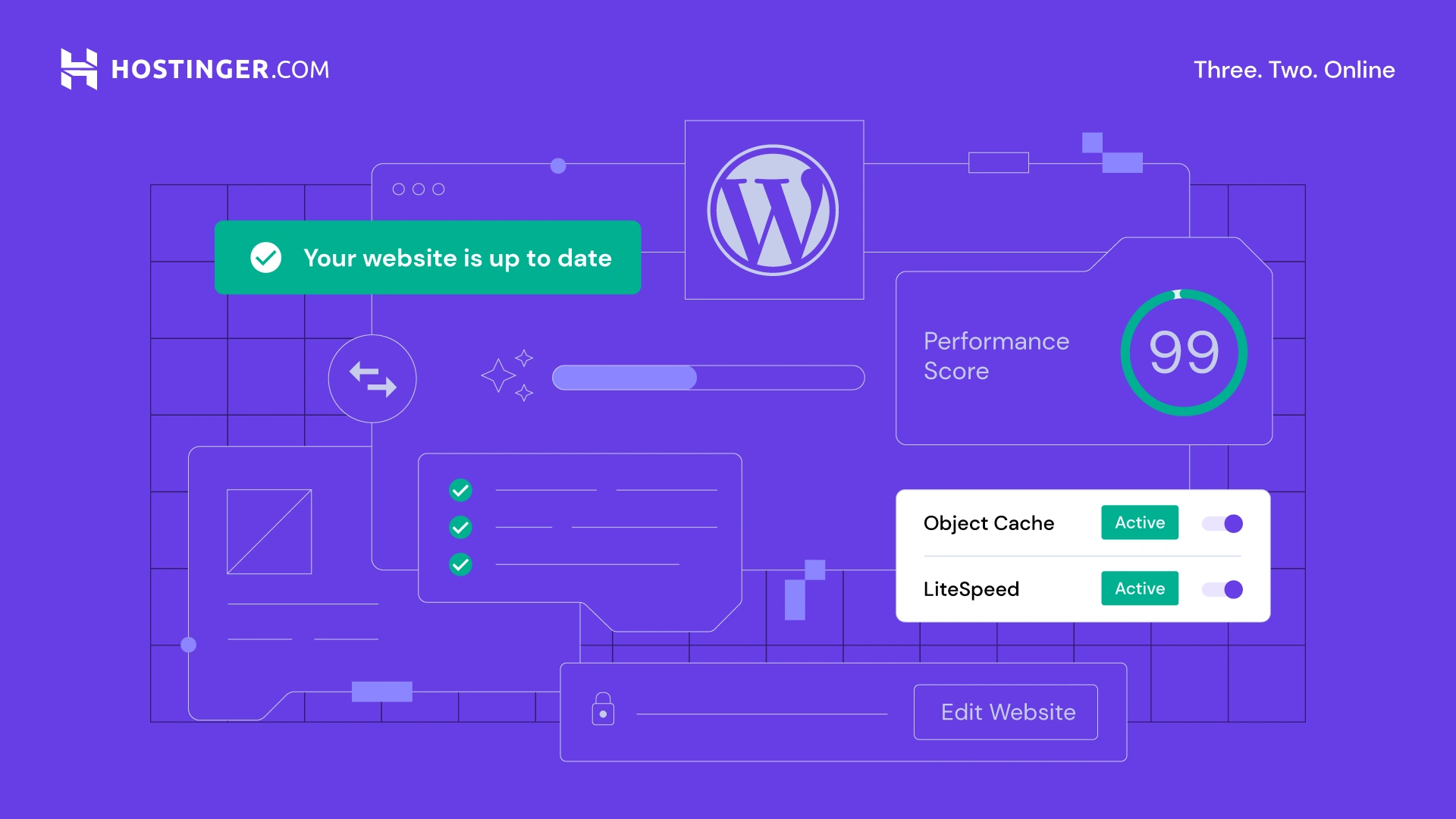
- LiteSpeed caching: Hostinger’s servers use LiteSpeed technology with a WordPress-specific Object Cache that can reduce page response times by up to 3x.
- Staging environment: Available on the Business plan. This lets you test changes on a copy of your site before making them live — useful when you’re updating themes or plugins.
- Auto-updates: Hostinger can automatically keep WordPress and your plugins updated, reducing security risks.
- WooCommerce ready: Install WooCommerce with one click to turn your WordPress site into an online store. Hostinger provides dedicated WooCommerce support on managed plans.
If you’re building a WordPress site for the first time and don’t want to overspend, the Business plan is the one to choose — the daily backups, CDN, staging, and NVMe storage make a meaningful difference for WordPress performance over the Premium plan.
Hostinger Pros and Cons: The Honest Summary
✅ What Hostinger Does Well
- Outstanding value at entry pricing: Hard to find a more feature-rich hosting package at this price from any reputable provider
- hPanel is genuinely beginner-friendly: Clean, well-organised, with helpful tooltips and an AI assistant that can execute tasks
- Strong speed and reliability: 100% uptime in recent independent tests; LCP of 0.6s is top-tier for shared hosting
- Global data centers: 11 locations across 4 continents — far more than most competitors, important for non-US/European audiences
- Free domain + SSL included: No extra tools needed to get started; everything to launch is bundled in
- AI tools built in: Kodee AI assistant, AI website builder (Horizons), and AI content tools are included — no extra subscriptions
- 30-day money-back guarantee: Low risk to try. If it doesn’t suit you in the first month, you can get a refund
- Trustpilot rating: 7/5 across over 61,500 reviews as of 2026 — consistently strong user satisfaction
❌ What Hostinger Falls Short On
- Renewal price jump: The steep increase at renewal catches many users off guard. Plan for 3–4x the intro rate when budgeting
- No phone support: Live chat only. If you prefer talking to a human or are dealing with an urgent issue, this can be frustrating
- AI-first customer support: Since 2024, Hostinger has moved to an AI-first support model. Human agents are still reachable but slower to reach than before
- Premium plan has limited email inboxes: Only 2 email addresses per website on the Premium plan, 5 on Business. Competitors often give more
- Weekly backups only on entry plan: If you update your site daily, a weekly backup schedule isn’t adequate. Daily backups require the Business plan
- No dedicated servers: If you outgrow VPS hosting, you’ll need to move to a different provider entirely
- No free plan: Hostinger removed their free tier in 2024. The lowest cost entry now requires payment
Hostinger vs the Competition
Hostinger | SiteGround | Bluehost | GoDaddy | |
Starting Price | ~$3.19/mo | ~$3.99/mo | ~$4.99/mo | ~$5.99/mo |
Renewal Price | ~$11.99/mo | ~$17.99/mo | ~$11.99/mo | ~$5.99/mo |
Ease of Use | Excellent | Excellent | Good | Average |
Speed (LCP) | 0.6s | Fast | Average | Average |
Data Centers | 11 countries | 4 locations | US only | US/Europe |
Free Domain | Yes (1yr) | No | Yes (1yr) | No |
Free SSL | Yes | Yes | Yes | No |
Daily Backups | Business+ | All plans | CodeGuard add-on | Extra cost |
Phone Support | No | No | Yes | Yes |
Best For | Beginners/Budget | Performance | WordPress | Simple sites |
Prices are applied for 1-year terms.
Hostinger vs SiteGround
SiteGround is faster in some benchmark tests and includes daily backups on all plans. But it costs more at every tier — both introductory and renewal. For a beginner on a tight budget, Hostinger offers similar reliability at a meaningfully lower price. If budget is no concern and performance is paramount, SiteGround is a strong alternative.
Hostinger vs Bluehost
Bluehost is one of the most popular beginner hosts and offers phone support — an advantage for users who prefer that. Hostinger is generally faster, has more global data centers, and offers a cleaner control panel. For most beginners who don’t need phone support, Hostinger is the stronger technical choice.
Hostinger vs GoDaddy
GoDaddy has phone support and a long-established brand, but its hosting performance and interface are often criticised for being inferior to competitors at similar prices. Hostinger outperforms GoDaddy on speed, ease of use, and included features at comparable price points.
Who Should Use Hostinger?
Based on everything above, here’s an honest breakdown:
Hostinger Is a Great Fit If You Are:
- A complete beginner launching your first website or blog
- A small business owner who wants a professional site without a large hosting budget
- A WordPress user who wants fast, managed-style features at a budget price
- A developer or agency managing multiple client sites (the Business plan supports up to 50 sites)
- Someone based outside the US or Europe who needs data centers closer to their audience
- A student or freelancer who needs reliable hosting without overspending
Hostinger May Not Be Right If You:
- Absolutely need phone support for peace of mind
- Require daily backups from day one without paying for the Business plan
- Are running a high-traffic enterprise site that needs a dedicated server
- Rely on cPanel for your workflow and don’t want to adapt to hPanel
🛠️ Ready to try it? Hostinger’s 30-day money-back guarantee means you can test it risk-free. Most beginners have a working WordPress site live within 30 minutes of signing up.
30-Day Money-Back Guarantee
Frequently Asked Questions
Q: Is Hostinger good for complete beginners?
Yes — it’s one of the best options for beginners. The hPanel control panel is clean and intuitive, WordPress installs with one click, and the AI assistant Kodee can guide you through any setup step. Most beginners can have a working website live within 30–60 minutes of signing up.
Q: Does Hostinger have a free plan?
No. Hostinger discontinued their free hosting plan in 2024. Their lowest paid entry point is currently around $2.79/month on a 2-year promotional term. They do offer a 30-day money-back guarantee on all paid plans. Check hostinger.com for current pricing and any active promotions.
Q: Why does Hostinger’s price go up so much at renewal?
The promotional prices Hostinger advertises apply only to your first billing period. Renewal rates are the standard list prices, which are significantly higher. This is standard practice across the hosting industry, but Hostinger’s jump is steeper than average. The best way to manage this is to sign up for a 1–2 year term at the promotional rate, giving yourself time to evaluate whether Hostinger is right for you before renewal.
Q: Is Hostinger good for WordPress?
Yes. Hostinger offers one-click WordPress installation, LiteSpeed caching for faster WordPress performance, staging environments on the Business plan, and WooCommerce support. For a budget WordPress host, it’s one of the strongest options available. The Business plan is worth the small price premium over Premium specifically because of the daily backups, CDN, and NVMe storage.
Q: Does Hostinger offer a free domain name?
Yes — a free domain is included for the first year with the Premium plan and above when you choose an annual or longer billing term. After the first year, you’ll pay standard domain renewal rates. Check hostinger.com for which domain extensions qualify for the free offer.
Conclusion: Is Hostinger Worth It?
After going through the data, the honest answer is yes — for most beginners, Hostinger is absolutely worth it.
It loads fast, stays up reliably, gives you more data centers to choose from than almost any competitor, and wraps it all in one of the cleanest beginner-friendly dashboards in the hosting industry. You’re also getting tools most hosts charge extra for, free SSL, free domain, AI assistant, and an AI website builder — all included.
The one thing that requires honest planning: the renewal price jump is real and significant. Go in with eyes open, choose the term length that gives you the best balance of low cost and manageable commitment, and budget for the renewal rate from the start.
For beginners building their first blog, portfolio, or small business website in 2026, this Hostinger review leads to a clear recommendation: start here. It’s reliable, beginner-friendly, and the 30-day money-back guarantee means you’re not risking anything by trying it.
30-Day Money-Back Guarantee
Still confused about how to decide a hosting package? Check our full guide about How to Choose the Best Web Hosting for Beginners. If you want to start your website without any hosting, you can check the other website builders; see our guide about Best Website Builders for Beginners.
