

Nicepage is a solid website builder for beginners who want design freedom without touching code. It stands out for its desktop app (works offline on Windows and Mac), freehand drag-and-drop editor, and the ability to export to HTML, WordPress, and Joomla — all in one tool. The free plan is usable but limited. If you need more than two projects, a paid plan is worth it.
You are looking for a way to build a website without hiring a developer or spending months learning to code. You have probably tried a few website builders and found most of them either too restrictive, too expensive, or just confusing.
If Nicepage has shown up in your search results and you are wondering whether it is worth your time, this Nicepage review will give you a straight answer.
We looked at the official Nicepage website, pricing page, and feature list to give you a clear, honest picture of what it offers, what it lacks, and who it is actually built for.
What Is Nicepage?
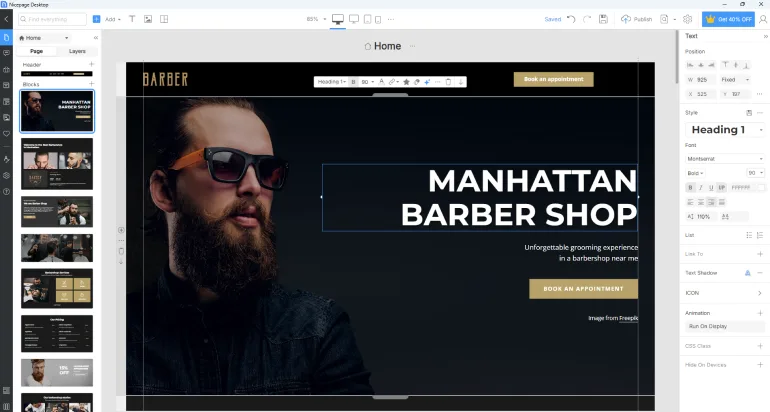
Nicepage is a website builder software that works both as a desktop application (on Windows and Mac) and as an online editor in your browser. It uses a drag-and-drop interface, so you can move elements around visually without writing a single line of code.
What makes Nicepage different from tools like Wix or Squarespace is that it is not just a hosted website builder. You can design your website and export it as clean HTML, as a WordPress theme or plugin, or as a Joomla template. This flexibility is rare among beginner-friendly tools.
Nicepage advertises over 400 features, more than 15,000 templates, and what they call ‘freehand positioning’ — the ability to place any element anywhere on your page without being locked into a rigid grid structure.
Who Is Nicepage Best For?
Before diving into features and pricing, it helps to know whether Nicepage is built for someone like you.
Nicepage works well for:
- Freelancers or small business owners who want to build and hand off websites to clients
- Bloggers or content creators who want a WordPress-compatible design tool without paying for expensive page builders
- Web designers who want the freedom to design pixel-perfectly without code
- People who need to work offline and prefer a desktop application over a browser-based tool
- Those who want one tool that works for HTML, WordPress, and Joomla projects
Nicepage may not suit:
- Complete beginners who want an all-in-one hosted solution with built-in blogging, e-commerce, and marketing tools out of the box
- Users who need advanced e-commerce features from day one (you would need the Pro or Ultimate plan)
- People looking for a tool that also handles domain registration and hosting without any technical setup
Nicepage Features: What You Actually Get
Nicepage lists over 400 features on its official website. Rather than listing everything, here is what matters most for someone building their first or second website.
Freehand Drag-and-Drop Editor
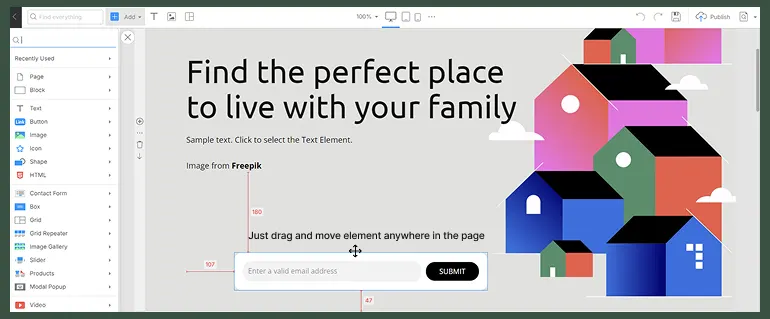
Most website builders use a fixed-grid layout. Nicepage calls its approach freehand positioning, which means you can place text, images, buttons, and other elements anywhere on the page — not just in predefined columns or sections. This gives you much more creative control and is one of the biggest reasons designers prefer it over tools like Wix.
Desktop App for Windows and Mac
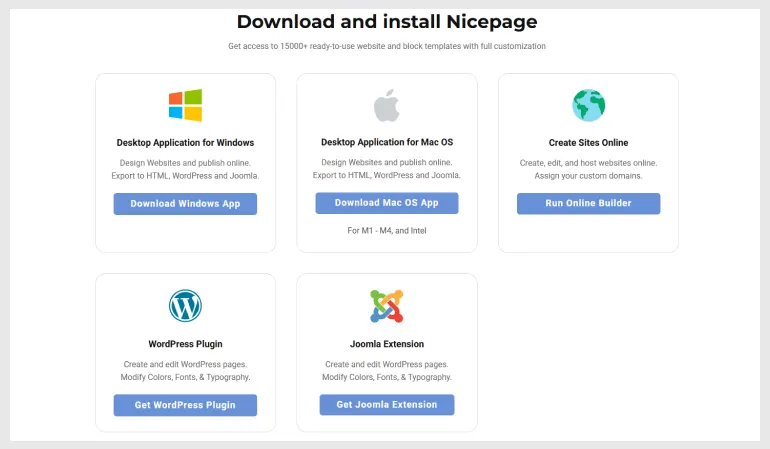
This is one of Nicepage’s most distinctive features. You can download the desktop application for free on both Windows and Mac OS and work entirely offline. Most other website builders require an internet connection at all times. If you travel frequently, have unreliable internet, or just prefer working locally, this is a significant advantage.
15,000+ Templates
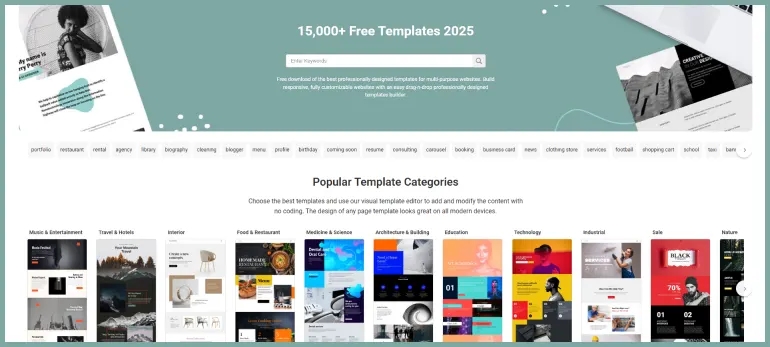
Nicepage provides a large library of website templates and individual block templates. These are responsive, meaning they automatically adjust to look good on phones, tablets, and desktops. The free plan gives you access to a limited set, while paid plans unlock the full library.
WordPress and Joomla Integration
If you already have a WordPress website, you can install Nicepage as a WordPress plugin and use it to design your pages and themes visually. The same applies to Joomla. This is particularly useful for WordPress users who find the default editor limiting but do not want to pay for premium page builders like Elementor Pro or Divi.
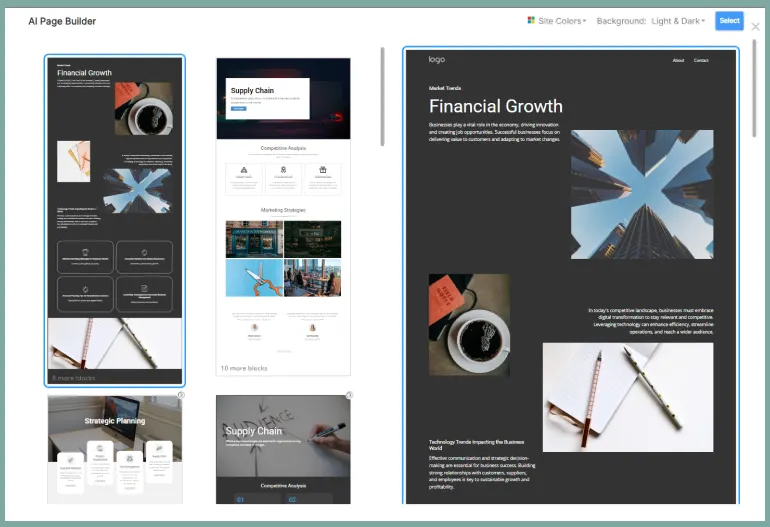
AI Page Builder
Nicepage includes an AI page builder across all plans, including the free Starter plan. According to the official pricing page, this is part of the core offering. The AI feature is designed to help you generate page layouts and content ideas faster. For more detailed information on how the AI builder works, check the official Nicepage documentation at nicepage.com/doc.
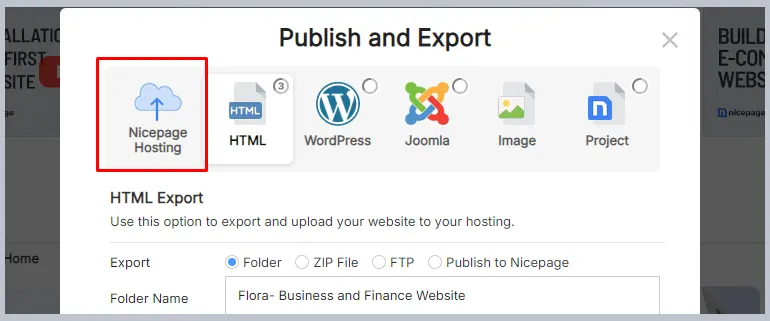
Built-in Web Hosting
Paid plans include web hosting through Nicepage’s own infrastructure. You can connect your custom domain, get a free SSL certificate, and use CDN for images. Storage and monthly traffic limits vary by plan, which we cover in the pricing section below.
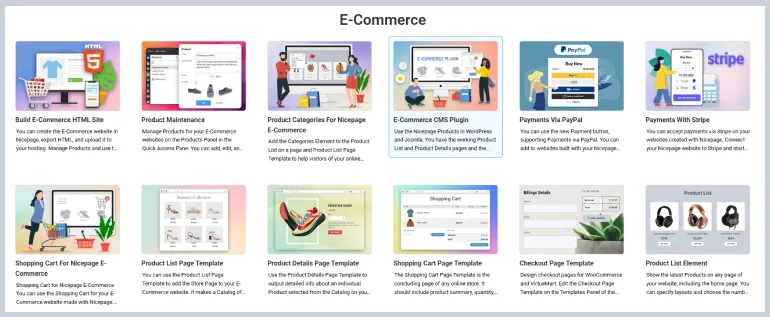
E-Commerce Support
Nicepage supports e-commerce from the Personal plan, where you can accept payments. The Business plan adds basic e-commerce with up to 10 products. The Pro and Ultimate plans unlock advanced e-commerce, more products, and the ability to export to WooCommerce (for WordPress) or VirtueMart (for Joomla).
Other Notable Features
- Contact forms with form submissions (limits depend on your plan)
- Calendar and appointment booking
- Multi-language website support via the Language Element
- Google Analytics and Google Tag Manager integration
- Modal popups, sliders, carousels, galleries, and accordions
- Video backgrounds and audio elements
- Google Maps integration
- Social icons and social sharing
Nicepage Pricing: How Much Does It Cost?
Nicepage has five plans. The pricing below is based on the official pricing page at nicepage.com/premium. All paid plans are billed annually (subscription model).
Feature | Starter | Personal | Business | Pro |
Price | Free | $6.75/mo | $12.75/mo | $18.75/mo |
Projects (Desktop) | 2 | 5 | 50 | Unlimited |
Published Sites | Limited | 1 | 3 | 5 |
Connect Domain | No | Yes | Yes | Yes |
Block Layouts | 50 | 200 | 500 | 1,000 |
WordPress | No | Yes | Yes | Yes |
E-Commerce | No | Payments only | Basic (10 products) | Advanced |
Storage per site | 250 MB | 1 GB | 3 GB | 5 GB |
Monthly visits | 1,000 | 25,000 | 100,000 | 500,000 |
There is also an Ultimate plan at $31.75/month (billed annually) that offers unlimited products, 20 published sites, 10 GB storage per site, and up to 1 million monthly visits per site. An annual License option is also available as an alternative to the subscription model — visit the official pricing page for exact license prices.
Pricing Note
The prices shown above are from nicepage.com/premium and reflect the annual subscription billing rates. Monthly billing rates are higher. Always check the official pricing page for the most current pricing before purchasing.
Nicepage Pros and Cons: The Honest Summary
After going through the official feature list and pricing details, here is a balanced view of what Nicepage does well and where it has room to improve.
Pros | Cons |
Desktop app works offline on Windows and Mac. Freehand positioning gives genuine design freedom. Supports HTML, WordPress, and Joomla in one tool. 15,000+ responsive templates. The AI page builder is included even on the free plan. Reasonable pricing for the features offered. Free SSL and CDN included in paid plans. Multi-language website support. | The free plan is very limited (only 2 projects, 50 block layouts, 1,000 monthly visits). E-commerce requires at least the Business plan for basic product listings. Advanced e-commerce (WooCommerce export) requires Pro or Ultimate. The interface can feel overwhelming for absolute beginners at first. No built-in blogging tools mentioned in the feature list — check nicepage.com/features for the latest updates. |
Nicepage Review Score Breakdown

Here is how Nicepage performs across the areas that matter most to beginners:
Category | Score | Notes |
Ease of Use | 3.8 / 5 | Friendly once you learn it, but has a learning curve |
Design Flexibility | 4.7 / 5 | Freehand positioning is genuinely class-leading |
Template Quality | 4.3 / 5 | Huge library, well-designed and responsive |
Pricing Value | 4.2 / 5 | Competitive for the feature set offered |
WordPress Integration | 4.0 / 5 | Works well as a WP page builder plugin |
E-Commerce | 3.5 / 5 | Functional but limited on lower plans |
Offline Capability | 5.0 / 5 | Best in class - desktop app works fully offline |
Overall | 4.2 / 5 | Strong choice for design-focused beginners |
How Nicepage Compares to Other Website Builders
If you are choosing between Nicepage and other popular website builders, here are the key differences that matter for a beginner:
Nicepage vs. Wix
Wix is an all-in-one hosted builder that includes domain registration, e-commerce, blogging, and email marketing. It is simpler to get started with. Nicepage offers more design freedom and the desktop app advantage, but Wix handles more out of the box for non-technical users.
Nicepage vs. WordPress Page Builders (Elementor, Divi)
If you already use WordPress, Nicepage competes directly with Elementor and Divi as a visual page builder. Nicepage’s advantage is that it also works as a standalone desktop tool for HTML and Joomla sites. Elementor has a larger plugin ecosystem, but Nicepage’s free tier is more generous for WordPress design tasks.
Nicepage vs. Webflow
Webflow is powerful but has a steep learning curve and higher pricing. Nicepage is more beginner-accessible and includes an offline desktop app, which Webflow does not offer. If you want a tool that does not require a monthly subscription for basic static HTML sites, Nicepage is the more practical choice.
Frequently Asked Questions About Nicepage
Is Nicepage completely free to use?
Nicepage has a free Starter plan that lets you download the desktop app and build up to 2 projects. It includes limited templates and basic features. For more projects, connected domains, and full customization, you will need one of the paid subscription plans.
Does Nicepage work with WordPress?
Yes. Nicepage works with WordPress as a page builder plugin. You can design your pages and themes in Nicepage and export them directly to WordPress. The WordPress integration is available from the Personal plan and above.
Do I need to know how to code to use Nicepage?
No. Nicepage is built for people with no coding knowledge. You use a drag-and-drop visual editor to position elements freely on the page. Everything you see in the editor is what appears on your live website.
What makes Nicepage different from other website builders?
Nicepage offers a desktop app for Windows and Mac, which lets you work offline. Most other website builders are browser-only. It also uses freehand positioning, meaning you can place any element anywhere on the page. It also supports HTML, WordPress, and Joomla exports from a single tool, which is uncommon.
Can I build an online store with Nicepage?
Yes. Nicepage supports e-commerce features. The Business plan includes basic e-commerce with up to 10 products. The Pro and Ultimate plans include advanced e-commerce with more products and WooCommerce/VirtueMart export support.
Final Verdict: Is Nicepage Worth It?
This Nicepage review comes down to a clear answer: yes, Nicepage is worth trying — especially if you want design freedom, offline work capability, or a single tool that handles HTML, WordPress, and Joomla projects.
For a complete beginner launching their first website, the free Starter plan is a low-risk way to explore the editor and see if the interface clicks for you. The learning curve is real, but manageable. Once you get comfortable with the canvas, designing pages is genuinely satisfying.
If you are building more than two sites, connecting a custom domain, or need WordPress integration, the Personal plan at around $6.75 per month (billed annually) is reasonably priced for what you get.
The tool has genuine strengths that most of its competitors do not offer. The desktop app alone is worth a lot if you work offline or travel. The freehand positioning gives you design control that grid-based builders simply cannot match.
If those things matter to you, Nicepage deserves a serious look.
Try Nicepage Free
You can download Nicepage for free at nicepage.com and start building without a credit card. The free plan gives you enough to explore the editor, experiment with templates, and see whether the workflow suits you before committing to a paid plan.
Check our details guide about Best Website Builders for Beginners | 7 Best AI Website Builders for Beginners
