

You’ve spent weeks building your website. You’ve written blog posts, set up your pages, and done everything you can think of. But Google still treats your site like it doesn’t exist.
This isn’t unusual, and the fix isn’t as complicated as it sounds. What you need is visibility: your site showing up when people type the questions you’ve answered. That’s exactly what SEO tools help you achieve.
The problem? Most SEO tools are either too expensive for a small website owner or too technical for someone who didn’t grow up speaking Google’s language.
That’s where AppSumo SEO tools change things entirely. These are professional-grade SEO tools available on AppSumo at a one-time lifetime price — meaning you pay once and never see a monthly bill again. In this guide, I’ve gathered 10 of the best AppSumo SEO tools for small websites, based on verified user ratings, real review feedback, and how beginner-friendly each one actually is.
💡 Quick note: AppSumo deals change regularly. All tools listed here have been verified as active or long-running deals. Always confirm current availability and pricing at appsumo.com before purchasing.
Why AppSumo SEO Tools Are a Smart Choice for Small Websites
Premium SEO platforms like Ahrefs and Semrush are powerful — but they cost upwards of $129–$139 per month. For a small website that’s still growing, that’s a significant ongoing expense before you’ve seen any return.
AppSumo solves this by partnering with early-stage SEO software companies who offer their tools at a heavily discounted one-time price. You pay once, you keep the tool forever — no subscription renewal, no price increases, no monthly anxiety.
Every AppSumo purchase also comes with a 60-day money-back guarantee. That means you have two full months to test any tool and get a refund if it doesn’t work for you. For a beginner, that’s about as risk-free as software buying gets.
The 10 tools below cover every major area of SEO a small website owner needs: technical auditing, keyword research, rank tracking, content optimisation, competitor analysis, page speed, and backlink monitoring. You don’t need all ten — read each one and pick the tools that solve your specific problems first.
The 10 Best AppSumo SEO Tools for Small Websites
#1 — ALL-IN-ONE SITE MONITORING
Screpy — One Dashboard to Monitor Everything
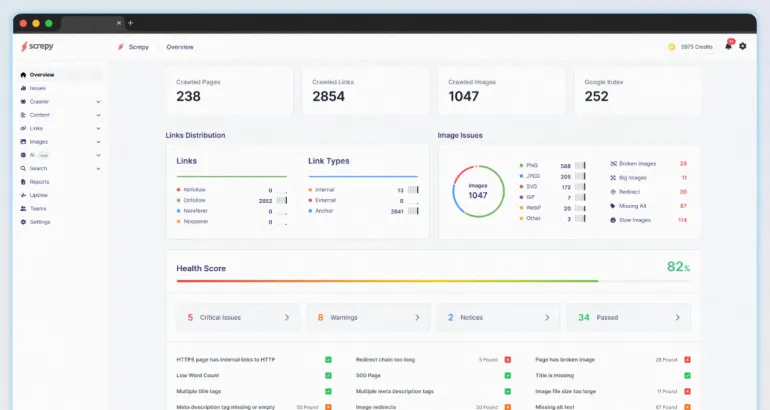
Running a website means keeping an eye on a lot of moving parts at once. Is your site actually online right now? Is it loading fast enough? Are there broken links hiding on old posts? Are your target keywords going up or down in rankings?
Screpy answers all of those questions from a single dashboard. It’s an AI-powered monitoring tool that tracks your site’s SEO health, page speed, uptime, Core Web Vitals (Google’s measure of a good user experience), and keyword rankings — all in one place. Enter your domain, and Screpy starts scanning automatically.
Best for: Beginners who want a complete picture of their website’s health without juggling five separate tools.
Why it stands out: It monitors keyword rankings across 229 countries, sends instant alerts if your site goes offline, and uses Google’s Lighthouse tool to diagnose page speed issues with specific, plain-English action items.
Regular price: ($59) | Check appsumo.com for the current one-time deal price.
Community rating: ⭐ 4.6 / 5 from 900+ verified reviews on AppSumo, one of the most reviewed SEO tools on the entire platform.
#2 — SEO AUDIT & ACTION LIST
SiteGuru — SEO Auditing in Plain English
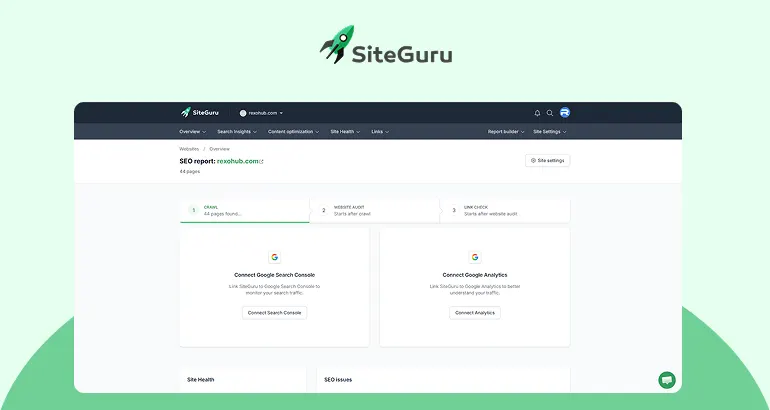
Most SEO audit tools dump a giant list of technical problems on your screen with zero explanation of what they mean or which ones actually matter. SiteGuru takes the opposite approach.
It scans your entire website, identifies everything holding your rankings back, and then gives you a prioritised to-do list written in plain English — ranked by impact so you know what to tackle first. No technical background required. You just follow the list.
SiteGuru pulls data directly from Google Search Console and Google Analytics to show you which pages are losing ranking positions, which keywords you’re close to ranking for, and how to improve your Google click-through rate (the percentage of people who click your link when they see it in search results).
Best for: Bloggers, small business owners, and anyone running a WordPress site who wants to improve rankings without learning technical SEO jargon.
What makes it different: The tool is designed for non-experts. One reviewer described the experience as ‘SEO doesn’t have to be complex’ — exactly the promise AppSumo makes.
Regular price: ($79) | Check appsumo.com for the current one-time deal price.
Community rating: ⭐ 4.9 / 5 from 515+ verified reviews on AppSumo.
#3 — SEO CONTENT OPTIMISATION
NeuronWriter — Write Content That Google Actually Ranks
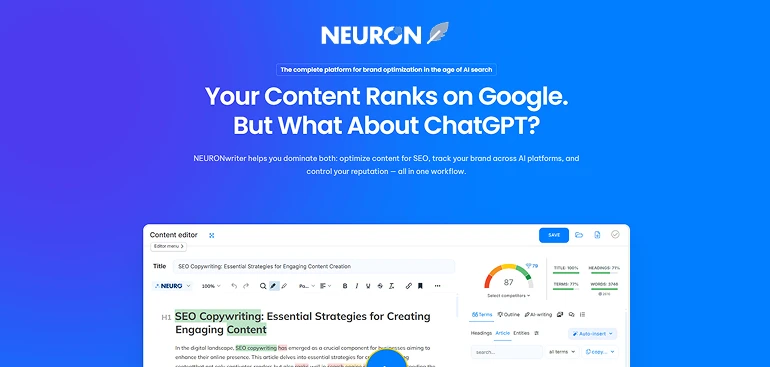
Publishing content that doesn’t rank feels like shouting into an empty room. The reason most beginner articles don’t rank isn’t bad writing; it’s that they don’t cover the topic the way Google expects.
NeuronWriter fixes this. It analyses the top-ranking pages for any keyword you’re targeting and gives you a list of semantic phrases, related topics, and content structure recommendations that help your article compete. In plain terms, it tells you what words and topics to include so Google understands what your content is about without keyword stuffing.
The tool also has a built-in plagiarism checker, AI writing assistance with over 20 templates, and a WordPress integration so you can optimise directly in your CMS.
Best for: Bloggers and affiliate marketers who publish content regularly and want it to rank on page one.
What it replaces: Surfer SEO and Frase — both of which charge $49–99/month for similar content optimisation features.
Regular price: Currently Sold Out | Check regular pricing on the official website.
Community rating: ⭐ 4.9 / 5 from 799+ verified reviews on AppSumo.
Note: NeuronWriter (content optimisation) + Squirrly SEO (WordPress live assistant) is one of the most recommended beginner content stacks in the SEO community.
#4 — AUTOMATED TECHNICAL SEO
ClickRank — Fix Technical SEO Issues Automatically
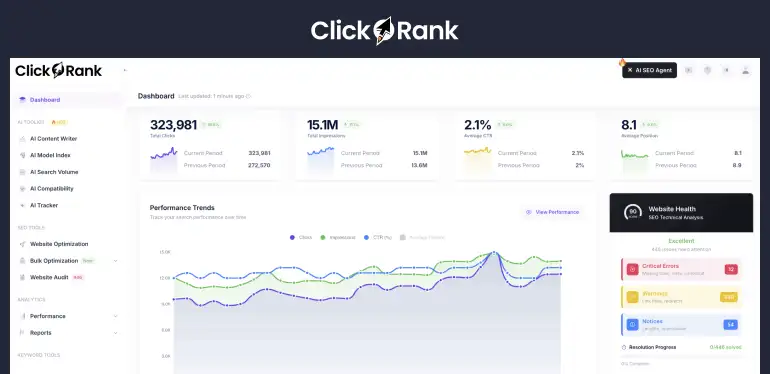
Technical SEO refers to all the behind-the-scenes work that helps Google find, read, and understand your website correctly. Things like meta descriptions, title tags, image alt text (the text that describes images to search engines), internal links, and schema markup (code that tells Google exactly what type of content is on each page).
Most small website owners either don’t know these things need fixing, or they don’t have time to fix them manually across hundreds of pages. ClickRank automates the entire process. You embed a small code snippet on your site, and ClickRank continuously scans for issues and applies fixes with a single ‘Resolve All’ click.
What makes ClickRank particularly forward-thinking is its AI search compatibility feature. It checks whether your content is likely to appear in Google AI-generated summaries and AI tools like ChatGPT, Perplexity, and Gemini, an increasingly important visibility factor in 2026.
Best for: Anyone running a website with multiple pages who wants technical SEO problems fixed automatically without hiring a developer.
Regular price: ($89) | Check appsumo.com for the current one-time deal price.
⚠️ Honest Note: ClickRank has received strong reviews overall (4.62/5), but a small number of users with very large sites (5,000+ pages) have reported issues with crawl completion. For a small website with under 500 pages, it works well.
#5 — RANK TRACKING & BACKLINK ANALYSIS
SheerSEO — Track Your Rankings and Understand Your Backlinks
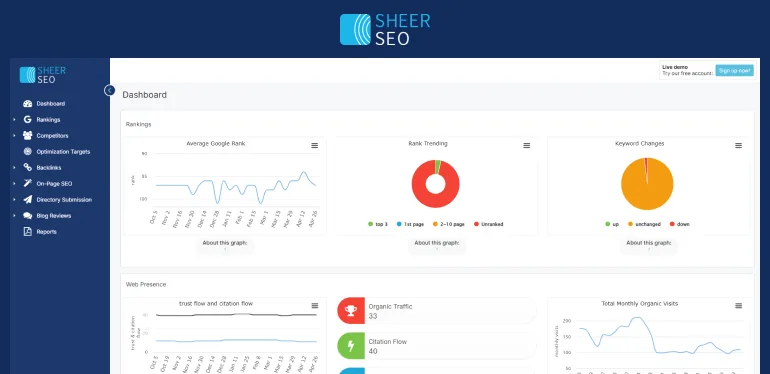
If you don’t know where you currently rank for your target keywords, you can’t know whether your SEO work is paying off. SheerSEO gives you clear, up-to-date ranking data for every keyword you care about — across Google, Bing, and YouTube.
Beyond rank tracking, SheerSEO includes a backlink analyser powered by data from Majestic (one of the most reliable backlink databases available). Backlinks are links from other websites pointing to yours — Google treats them as a vote of confidence. SheerSEO lets you see which backlinks your competitors have, spot toxic backlinks that might be hurting your rankings, and find new link-building opportunities.
Best for: Small businesses and freelancers who want to track keyword rankings and understand their backlink profile without paying Ahrefs prices.
Key advantage: SheerSEO has been running since 2008, which is a good signal for long-term reliability — much more established than most AppSumo deals.
Regular price: Currently Sold Out | Check regular pricing on the official website.
Community rating: ⭐ 4.75 / 5 from 68+ verified reviews on AppSumo. Also rated positively on G2.
#6 — KEYWORD & COMPETITOR RESEARCH
Semdash — Keyword Research and Competitor Intelligence
Before you write a single word, you need to know what your target audience is actually searching for. That’s keyword research. Semdash makes this process accessible to beginners by combining keyword discovery, competitor analysis, and backlink research in one clean dashboard.
One of the most useful features for beginners is the ‘People Also Ask’ and ‘People Also Search For’ data — Semdash surfaces these automatically, giving you ready-made blog topic ideas based on what your audience is actively looking for right now. Multiple users have described the dashboard as ‘clean and clear to navigate’ without feeling overwhelmed.
Best for: Bloggers and affiliate marketers who want to find keywords their competitors are ranking for and identify content gaps on their own sites.
Regular price: Currently Sold Out | Check regular pricing on the official website.
⚠️ Honest Note: Semdash uses a credit system for searches. Some users report credits running out faster than expected on deeper research tasks. Plan your usage carefully and check what’s included in the deal tier before buying.
#7 — TECHNICAL SEO DEEP AUDIT
Labrika — Deep Technical Auditing for Sites That Need Serious Fixes
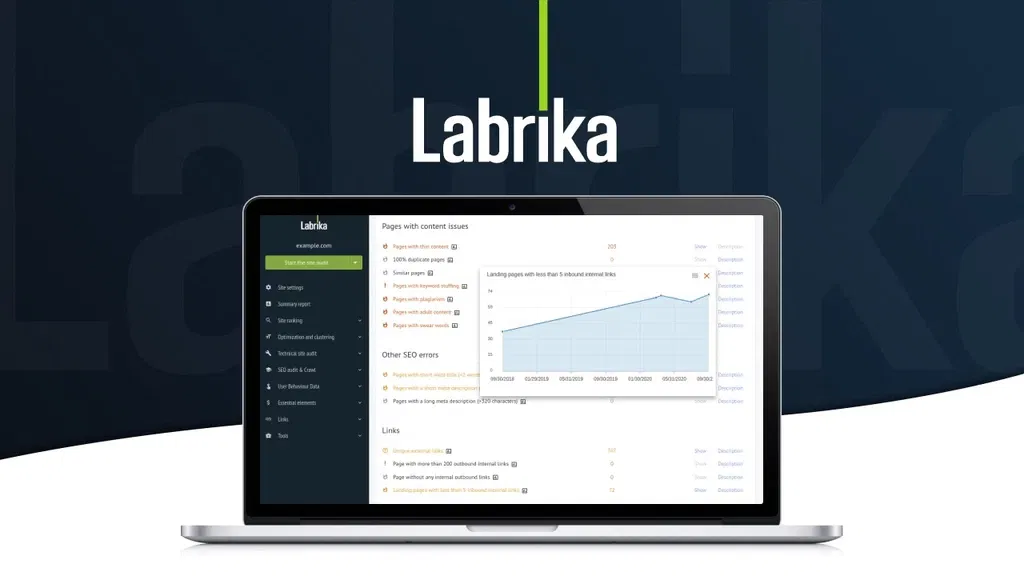
If SiteGuru is a general health check-up, Labrika is the specialist scan. It checks over 230 specific Google ranking factors, including technical errors that most tools miss, and gives you a detailed report on everything that could be holding your site back.
Labrika covers on-page SEO, technical crawl issues (broken links, redirect chains, duplicate content, robots.txt errors), a TF-IDF content optimiser (a method for analysing how well your content covers a topic compared to top-ranking competitors), keyword rank tracking, and competitor comparison. For a small website that suspects technical issues are behind poor rankings, Labrika is one of the most thorough tools available at this price point.
Best for: Site owners who want to go deeper than a basic audit and don’t mind spending time working through a detailed technical report.
When to choose Labrika over SiteGuru: If your site has complex technical issues or you need to compare multiple competitor domains in detail. SiteGuru is simpler; Labrika is more thorough.
Regular price:($68) | Check appsumo.com for the current one-time deal price.
Community rating: ⭐ 4.76 / 5 from 156+ verified reviews on AppSumo.
#8 — BROKEN LINKS & REDIRECTS (WORDPRESS)
WP 301 Redirects — Fix Broken Links Before Google Notices
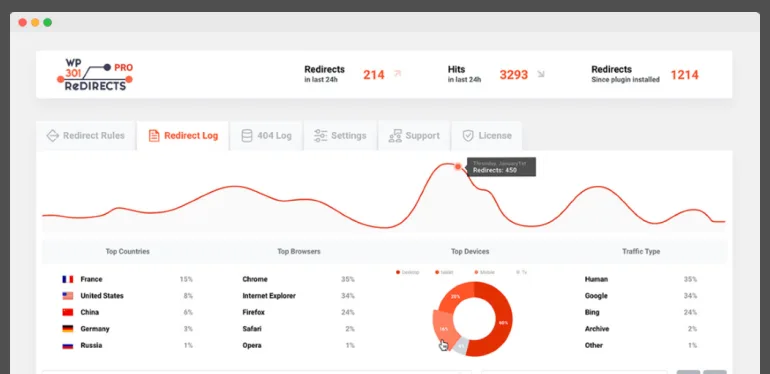
Here’s a problem that catches a lot of small website owners off guard: broken links. Every time you change a URL, delete a page, or update your site structure, old links that pointed to those pages stop working. Visitors hit a dead end. And so does Google.
WP 301 Redirects is a WordPress plugin that finds these broken links and outgoing links that lead to low-quality or competitor pages, and helps you fix them with redirects. A redirect is an instruction that sends visitors and search engines from the old URL to the correct, live page so you don’t lose traffic or ranking value.
It’s not a glamorous tool, but broken link management is one of those quiet, important SEO tasks that most small websites neglect, and it can have a real impact on how Google crawls and ranks your site.
Best for: WordPress site owners who have published content over time, changed URLs, or run a site that’s experienced any restructuring.
What it replaces: Screaming Frog (which requires a subscription for full access) for basic broken link scanning on smaller sites.
Regular price:($49) | Check appsumo.com for the current one-time deal price.
Community rating: ⭐ 4.8 / 5 from 220+ verified reviews on AppSumo.
#9 — SPREADSHEET POWERHOUSE
SheetMagic — ChatGPT + Google Sheets AI Integration
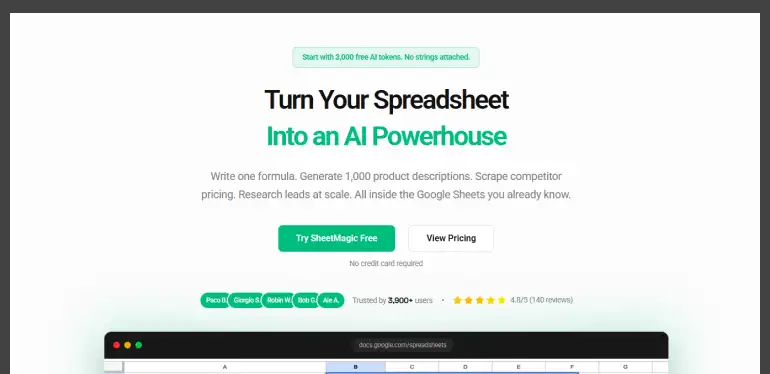
SheetMagic (formerly SheetGPT) is a powerful Google Sheets extension that integrates advanced AI models like ChatGPT, Claude, and Gemini directly into your spreadsheets. It allows you to automate bulk content creation, analyze data, and perform live web scraping using simple formulas, eliminating the need to constantly switch between multiple tabs.
Best for: Bloggers, marketers, and solopreneurs looking to automate bulk content generation.
Regular price:($69) | Check appsumo.com for the current one-time deal price.
Community rating: ⭐ 4.7 / 5 from 265+ verified reviews on AppSumo.
#10 — COMPREHENSIVE AI VISIBILITY
Visby.ai — The Complete AI visibility platform
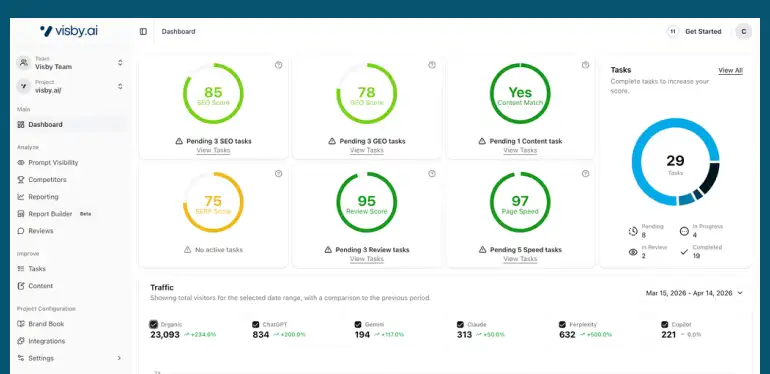
isby.ai is a comprehensive AI visibility tracking platform designed to help brands measure, monitor, and optimize their presence across major generative AI models, including ChatGPT, Claude, and Gemini.
As traditional search shifts toward AI-driven answers, Visby bridges the gap left by conventional SEO tools by focusing entirely on Generative Engine Optimization (GEO). The platform allows users to track brand mentions, analyze the specific prompts and search patterns that trigger them, and identify missed opportunities where competitors appear instead.
Beyond providing analytics, Visby automatically generates personalized, prioritized GEO tasks, offering clear, actionable steps to improve content and boost AI search rankings. Ultimately, it empowers businesses to drive more qualified, AI-generated traffic and secure their digital presence in an AI-first search landscape.
Best for: Marketing teams and SEO strategists optimizing brand visibility in AI.
Regular price:($69) | Check appsumo.com for the current one-time deal price.
Community rating: ⭐ 4.9 / 5 from 155+ verified reviews on AppSumo.
Which AppSumo SEO Tool Should You Start With?
You don’t need all ten. Here’s a straightforward guide based on what you’re trying to fix:
- You want to understand what’s wrong with your site right now → Start with SiteGuru. It gives you a prioritised list in plain English.
- You want to know where you rank and whether your rankings are improving → SheerSEO is the best fit.
- You want to write blog posts that rank on page one → NeuronWriter is the tool for this.
- You want everything automated — fixes applied without manual effort → ClickRank handles this.
- You want to understand what your competitors are ranking for → Semdash.
- You want a thorough technical crawl of your site → Labrika goes deepest.
- You want to make sure your site is always online and healthy → Screpy monitors everything.
- You have broken links from old content or URL changes → WP 301 Redirects solves this specifically.
Frequently Asked Questions
Are AppSumo SEO tools good enough for a real website?
Yes — for most small websites, they cover everything you need. Tools like Screpy, SiteGuru, SheerSEO, and NeuronWriter are used by professional bloggers, freelancers, and small agencies, not just beginners experimenting with their first site. They won’t replace a full Ahrefs or Semrush subscription for an agency managing 50 clients, but for a small website owner trying to grow organic traffic, they provide genuine professional-grade capability.
What’s the difference between AppSumo SEO tools and free tools like Google Search Console?
Google Search Console (which is free) shows you how your site is already performing in Google — which keywords you rank for, how many clicks you get, and which pages are indexed. AppSumo SEO tools go further: they tell you why you’re not ranking higher, what technical problems to fix, how your competitors are outranking you, and what changes to make to your content. They’re complementary, not competing. Many of the best AppSumo SEO tools actually integrate with Google Search Console to combine both data sets.
Do I need to buy multiple tools, or is one enough?
It depends on what you need right now. If you’re just starting out, one tool that addresses your biggest immediate problem is enough. SiteGuru for understanding what’s wrong. SheerSEO for tracking rankings. NeuronWriter for content that ranks. You can always add more tools as your site grows and you understand exactly what each one does.
What if the tool I buy on AppSumo shuts down?
This is a real consideration with any startup software tool. If a company behind an AppSumo deal shuts down, you lose access. AppSumo’s 60-day refund window is your main protection — use the full period to verify the tool is actively maintained (check for recent updates, active support responses in the Q&A section, and a developer who engages with community feedback). Tools with hundreds of reviews and active changelogs are lower risk than brand-new deals with minimal community history.
Can I use these tools if I’m not on WordPress?
Most of the tools in this list work with any website platform. Screpy, SiteGuru, SheerSEO, Semdash, and Labrika all connect via your domain or Google Search Console, not through a WordPress plugin. They work with Wix, Squarespace, Framer, Shopify, and any other platform.
Final Thoughts: The Best AppSumo SEO Tools Won’t Overwhelm You
The biggest barrier to SEO for small website owners isn’t knowledge; it’s complexity. The good news is that the best AppSumo SEO tools on this list were built specifically to remove that complexity. Most of them are designed for non-experts, guided by plain-English action lists and clear dashboards that tell you exactly what to fix and why.
You don’t need a background in digital marketing to use any of the ten tools in this guide. You need a website you want to grow, a clear idea of the specific problem you’re trying to solve, and the willingness to follow through on the recommendations these tools provide.
Pick one or two tools that match your most urgent needs. Test them during the 60-day refund window. Build from there as your site grows and your understanding deepens.
AppSumo SEO tools won’t do the work for you — but they’ll show you exactly what work needs doing, and they’ll do a significant chunk of it automatically. For a small website on a tight budget, that’s exactly what you need.
Ready to pick your first SEO tool?
Browse the full range of AppSumo SEO tools at appsumo.com — filter by the SEO category to see what’s currently available. You can create a free account and browse without any obligation to buy.
→ Also on RexoHub: Best AppSumo Deals for Beginners | Best AI Tools for Online Business | What Is AppSumo? How Lifetime Deals Really Work?
