

You’ve decided to start an online business. You know you need some tools. So you search for recommendations and immediately get hit with a list of 47 essential tools you absolutely cannot live without.
Three hours later you’ve got six browser tabs open, four free trials running, and no idea which ones actually matter. Your actual business hasn’t moved forward at all. You’ve spent your morning becoming an expert in comparing dashboards.
This is one of the most common ways beginners waste their first month. Choosing too many tools, or the wrong tools, delays the work that actually builds a business. This guide shows you which tools for a new online business genuinely matter from day one, which to add later, and how to make any tool decision quickly without second-guessing yourself for hours.
What this guide covers: A practical, no-nonsense framework
- The single question that cuts through every tool decision
- The 5 categories every online business actually needs
- A free-first starter stack with honest recommendations
- What NOT to buy in your first 90 days
- How to save money using AppSumo lifetime deals
The One Question That Cuts Through Every Tool Decision
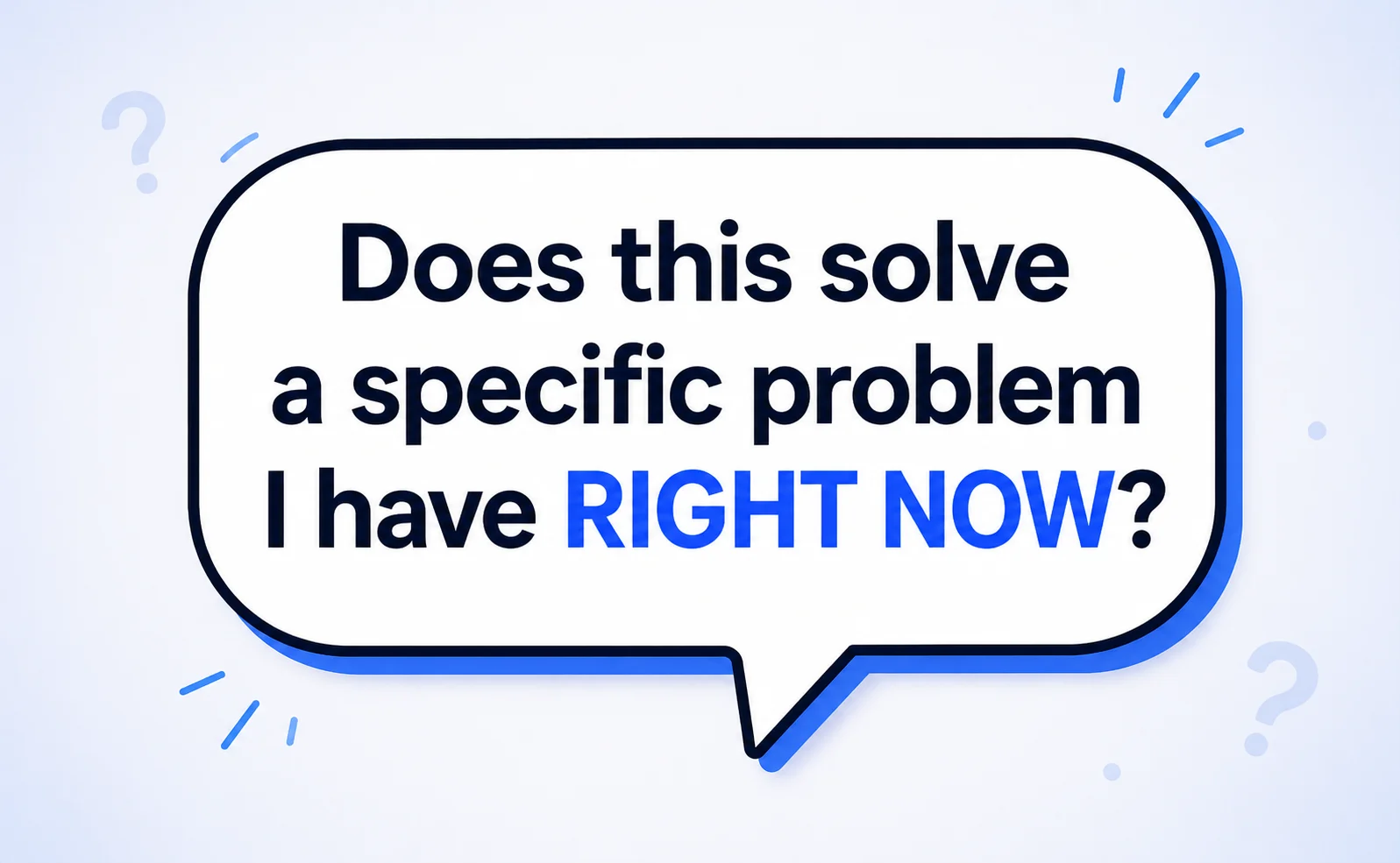
Before you sign up for anything, pay for anything, or spend time learning anything, ask yourself one question: Does this tool solve a specific problem I have right now?
Not ‘could this be useful someday.’ Not ‘this might help me scale eventually.’ Right now. This week. This specific problem.
The issue with most ‘essential tools’ lists is that they’re written for businesses that already have traction, companies with traffic, customers, and revenue who need to manage something that already works. A brand-new online business has none of those things yet. Your job in the first 90 days is to build something that works. Everything else comes after.
A scheduling tool is useful when people are actually trying to book time with you. An advanced analytics tool is useful when you have meaningful traffic to analyse. A CRM is useful when you have enough customers that a spreadsheet isn’t working. None of these matters before you’ve launched and attracted your first visitors. The tools that matter right now are the ones that help you build, launch, and get seen.
Avoid this: Tool hoarding is real procrastination
Many beginners spend their entire first month setting up tools instead of building their business. If you find yourself comparing two email platforms for more than 30 minutes, you’re stalling. Pick the one with a free plan, start using it today, and move on. You can always switch later — and realistically, you probably won’t need to.
5 Categories of Tools Every New Online Business Actually Needs
You don’t need 47 tools. You need tools in five categories, and in most cases, one free tool per category is enough for the first six months. Here’s what those categories are and why each one matters.
1. A website — your permanent home base
Everything else you do online points back to your website. It’s where people go to understand what you do, decide whether to trust you, and take the action you want: contact you, buy something, or read your content.
For most beginners, the fastest path to a live website is a no-code website builder. Framer is our top recommendation, with 1,100+ free templates, a free plan, and an editor most beginners can use within an afternoon. If you’re building a content-heavy site or an affiliate business, WordPress with Hostinger gives you better long-term flexibility for under $3 per month.
You do not need a custom-designed website from a developer. You need something live, clean, and functional. Get it online first. Improve it from there.
2. An email list — the asset you actually own
Social media followings can disappear when algorithms change or platforms lose popularity. An email list belongs to you. It’s the most direct way to communicate with your audience and, over time, your most reliable source of revenue.
Start building your email list from day one, even before you have anything to sell. A simple ‘get updates’ form on your homepage will capture interested visitors from the start. MailerLite is the right choice for beginners: free up to 1,000 subscribers, easy to use, and has all the automation features you’ll need as you grow.
3. An AI writing tool — for content and copy
Running an online business without an AI writing tool in 2026 just makes everything harder than it needs to be. ChatGPT’s free version is enough to get started. Use it to draft article outlines, write product descriptions, create social media captions, research topics you’re unfamiliar with, and produce first drafts of anything written. It won’t replace your voice or judgment — but it will eliminate the blank page problem and cut your content production time significantly.
4. A design tool — for every visual you need
Even a text-focused business needs visuals: featured images for blog posts, social media graphics, email headers, and simple promotional banners. Canva solves all of this without any design skills. The free plan includes thousands of templates, every common format, and a brand kit to keep your colours and fonts consistent across everything you publish.
5. Analytics — to understand what’s working
Once your site is live, you need to know whether anyone is visiting and what they do when they arrive. Google Analytics 4 is completely free and connects to your site in five minutes. Google Search Console (also free) shows you which search terms brought people to your site and how your pages are performing in Google. Set both up the same day your site goes live, and the data they collect from week one will be valuable months later.
The Recommended Starter Stack: Tools for a New Online Business in 2026
Here is the exact starter stack we recommend. Every tool here either has a free plan or costs under $30 total. None requires technical skills to set up.
Category | Tool | Free Option? | When You Need It |
Website | Framer or WordPress + Hostinger | Yes — Framer free plan | Day 1 — your entire foundation |
Email Marketing | MailerLite | Free up to 1,000 subscribers | Day 1 — start building list now |
AI writing | ChatGPT | Yes — GPT-3.5 free forever | Day 1 — speeds up all content |
Design | Canva | Generous free plan | Day 1 — every visual you need |
SEO tracking | Google Search Console | Completely free | Week 1 — submit site to Google |
Analytics | Google Analytics 4 | Completely free | Week 1 — track your visitors |
Keyword Research | Semrush free tier | Limited free plan | Month 1 — once publishing regularly |
What this actually costs in month one
Framer free plan: $0. MailerLite free tier: $0. ChatGPT free version: $0. Canva free plan: $0. Google Analytics and Search Console: $0. Semrush free tier: $0. Total: $0 or under $3 per month if you add WordPress hosting with Hostinger.
Your entire first month of tools for a new online business can cost less than a takeaway coffee. The only time this changes is when you start a WordPress site (which needs hosting) or grow past 1,000 email subscribers (MailerLite’s free limit). Both of those are genuinely good problems that mean your business is working.
Best Hosting for WordPress Beginners: Hostinger
Under $3/month, free domain included on most plans, one-click WordPress installation, and 24/7 live chat support. The most beginner-friendly hosting for the price.
What NOT to Buy in Your First 90 Days
This section matters as much as the one above. Many beginners spend $200-500 on tools in their first month that they either never use or simply don’t need yet. These are the categories to hold off on until you genuinely need them.
Advanced SEO tools
Semrush and Ahrefs are genuinely excellent, but not at $99-$129 per month before your site has any traffic or rankings to manage. Start with Google Search Console (free) and the Semrush free tier. Upgrade to a paid SEO tool only once you’re publishing at least 2-3 articles per week consistently and have enough content that tracking rankings and finding keyword gaps actually changes what you work on next.
CRM software
A CRM tracks your customers and sales pipeline. You don’t need one until managing relationships manually (in a spreadsheet or your inbox) becomes a real problem. Most beginners don’t reach that point until they have 50+ active clients or leads. When a spreadsheet stops working, that’s a genuinely happy sign and the right time to invest in a CRM.
Social media management tools
Buffer, Hootsuite, and similar platforms make sense when you’re posting daily across multiple accounts, and the manual effort is genuinely eating your time. For a new business still figuring out which platforms drive real results, adding a scheduling layer just creates overhead without value. Post manually first. Automate when it becomes an obvious bottleneck.
Project management platforms
Notion, Asana, and Monday.com are useful for teams and complex operations. For a solo founder in their first 90 days, a simple to-do list or a shared Google Doc works better. These tools have genuine value at the right stage. That stage is when you have collaborators, multiple overlapping projects, or real coordination complexity. Not on day one when your only job is to ship something.
The 90-day rule: Wait before adding anything new
Before adding any new tool, ask: Have I actually outgrown what I’m using for this? If not, wait. If yes, find the simplest tool that solves the specific problem and start with its free tier. Add complexity only when simplicity has genuinely failed you — not just because something looks useful.
How to Make Any Tool Decision in Under 5 Minutes
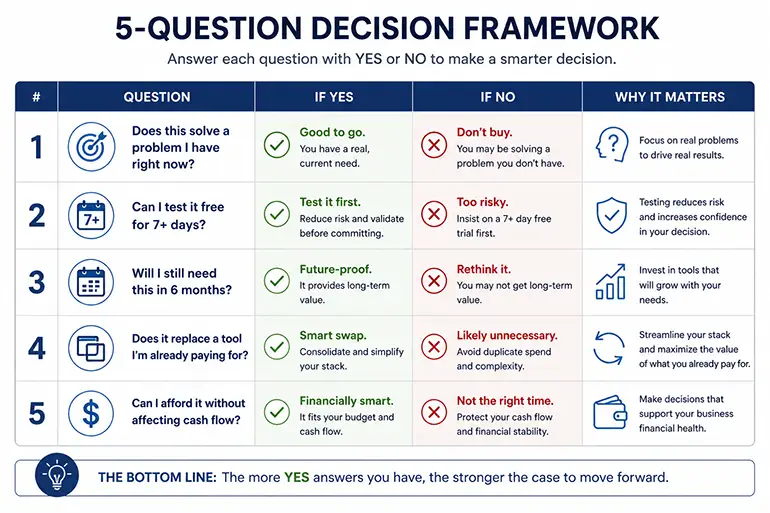
Every time you’re considering a new tool for your online business, run it through these five questions. They take about two minutes and will save you hours of comparison paralysis.
Ask yourself... | If YES | If NO |
Does this solve a problem I have right now? | Consider it | Don't buy it yet |
Can I test it free for 7+ days? | Test properly first | Ask for trial or skip |
Will I still need this in 6 months? | Good investment | Use free alternative first |
Does it replace a tool I'm already paying for? | Could be worth it | Adds to monthly costs |
Can I afford it without affecting cash flow? | Safe to proceed | Wait until you have revenue |
The AppSumo shortcut for paid tools
Once you’ve decided a paid tool genuinely belongs in your stack, check AppSumo before buying at full price. AppSumo is a marketplace that sells software as lifetime deals; you pay once instead of subscribing monthly. TidyCal costs $29 once on AppSumo versus $8-15 per month on a regular plan. Over two years, that is a saving of $160-330 on one tool alone.
Not every tool you need will be available there, but checking takes 30 seconds. Browse our curated picks at appsumo-deals for the best current lifetime deals across AI tools, SEO software, email platforms, and more.
Frequently Asked Questions
How many tools does a new online business actually need?
Five categories: website, email marketing, AI writing, design, and analytics. One free tool per category is enough for the first 90 days. You can launch and run a fully functional new online business with zero monthly tool spend using Framer’s free plan, MailerLite’s free tier, ChatGPT free, Canva free, and Google’s two free tools — Analytics and Search Console.
Should I pay for tools before my business makes any money?
Keep paid tools to an absolute minimum before you have revenue. The only genuinely justified pre-revenue paid tool is hosting — around $3 per month with Hostinger if you’re using WordPress. Everything else has a free alternative that is good enough to get started and validated your business model. Once you have consistent revenue, investing in tools that save time or improve conversion is a smart decision. Before that, save your budget.
What is the single most important tool for a new online business?
Your email list — and the tool you use to build it. You can start collecting email addresses from a simple landing page before your full website is even finished. An email list is the one digital asset you own and control completely, regardless of what happens to any platform, algorithm, or social network. Start with MailerLite (free up to 1,000 subscribers) from day one, even if all you have is a simple ‘coming soon’ page with a signup form.
Are AppSumo lifetime deals worth it for a new business?
Yes — if you only buy tools you know you will actually use. AppSumo’s one-time payment model saves meaningful money over time compared to monthly subscriptions. The risk is impulse-buying tools you don’t end up needing. Follow the same rule as any tool decision: it must solve a problem you have right now, and you must test it properly during AppSumo’s 60-day refund window before committing. Tools you use every week are excellent lifetime deal candidates. Tools you buy speculatively are wasted money.
When should I invest in a proper SEO tool?
Use Google Search Console from day one; it is free and essential. Hold off on paid tools like Semrush or Ahrefs until you are publishing 2-3 articles per week consistently and have been doing so for at least four weeks. Before that point, you do not have enough content or ranking data for a paid SEO tool to meaningfully change what you work on. Free tools — Search Console, Google Keyword Planner, and Semrush’s free tier — are sufficient until you reach that stage.
Ready to Build the Right Tool Stack for Your New Online Business?
Choosing the right tools for a new online business comes down to one principle: start with the minimum, use free plans wherever possible, and add tools only when you have a specific problem that your current setup genuinely cannot solve.
The starter stack in this guide costs nothing to launch, covers every core need, and will serve you well through your first 6-12 months of building. After that, you will have enough experience and hopefully enough revenue to make smarter decisions about which paid tools are genuinely worth investing in.
For honest, beginner-focused reviews of every tool category in this guide, browse the RexoHub tools section. And if you have not already, read our full guide on how to start an online business in 2026 for the complete roadmap from idea to your first revenue.
