
Choosing the best website builders for Beginners is one of the most important decisions you will make when starting an online presence. Pick the wrong one and you spend weeks learning a tool that does not fit your goals. Pick the right one and you can have a clean, professional site live within a day.
In 2026, the options are better than ever — but that also makes the choice harder. Drag-and-drop editors, AI-powered builders, visual design tools, and eCommerce platforms all compete for your attention. Most beginners end up comparing specs on review sites and still feel lost.
This guide cuts through the noise. We tested six of the most popular website builders specifically from a beginner’s perspective — evaluating ease of use, pricing, design quality, and what each platform is actually built for. By the end, you will know exactly which builder matches your goals.
What you will learn in this guide:
- Which website builder is genuinely easiest for beginners?
- How each platform differs in pricing, design, and use case.
- Which builder is best for blogs, portfolios, eCommerce, and startups?
- What to avoid when choosing your first builder
What to Look for in a Beginner Website Builder
Not all website builders are built the same way. Before picking one, it helps to understand what actually matters for a beginner — and what is just marketing noise.
Ease of use
A beginner-friendly builder should let you create pages visually, without needing to write code or understand technical settings. Look for drag-and-drop editors, clear onboarding, and templates that are easy to customize out of the box.
Pricing transparency
Many builders advertise a low starting price but charge extra for a custom domain, removing branding, or unlocking essential features. Always check what the paid plan actually includes before committing.
Design quality
Templates matter. A builder with poor template quality means you spend hours trying to make your site look professional. Framer and Squarespace are known for high-quality design. Wix gives you more flexibility but requires more effort to make it look polished.
Purpose fit
Not every builder works well for every goal. If you want to sell products online, Shopify is purpose-built for that. If you want a portfolio or startup site, Framer or Webflow will serve you better. Choosing a builder that matches your goal from the start saves you from switching later.
Room to grow
You want a builder you will not outgrow in six months. Check whether the platform supports custom domains, SEO settings, blog functionality, and integrations as your site gets more complex.
Quick Comparison: Best Website Builders for Beginners in 2026
Here is a side-by-side overview of the six builders covered in this guide. Detailed reviews follow below.
Builder | Best For | Starting Price | Free Plan | Ease of Use | Rating |
Framer | Creators & startups | $0/mo | Yes | 4.7/5 | |
Webflow | Designers & agencies | $14/mo | Yes | 4.5/5 | |
Shopify | eCommerce stores | $29/mo | No (trial) | 4.7/5 | |
Wix | General beginners | $17/mo | Yes | 4.4/5 | |
Squarespace | Portfolios & blogs | $16/mo | No (trial) | 4.3/5 | |
WordPress.com | Bloggers & content | $4/mo | Yes | 4.5/5 | |
Nicepage | Offline Editing and CMS Export | $6.75/mo | Yes | 4.7/5 |
1. Framer — Best for Creators, Startups, and Modern Websites
Best for: Creators, startup founders, freelancers, and anyone who wants a modern, design-forward site without hiring a developer.
Starting price: Free plan available. Paid plans from $0/month (with Framer branding) or $15/month for a custom domain.
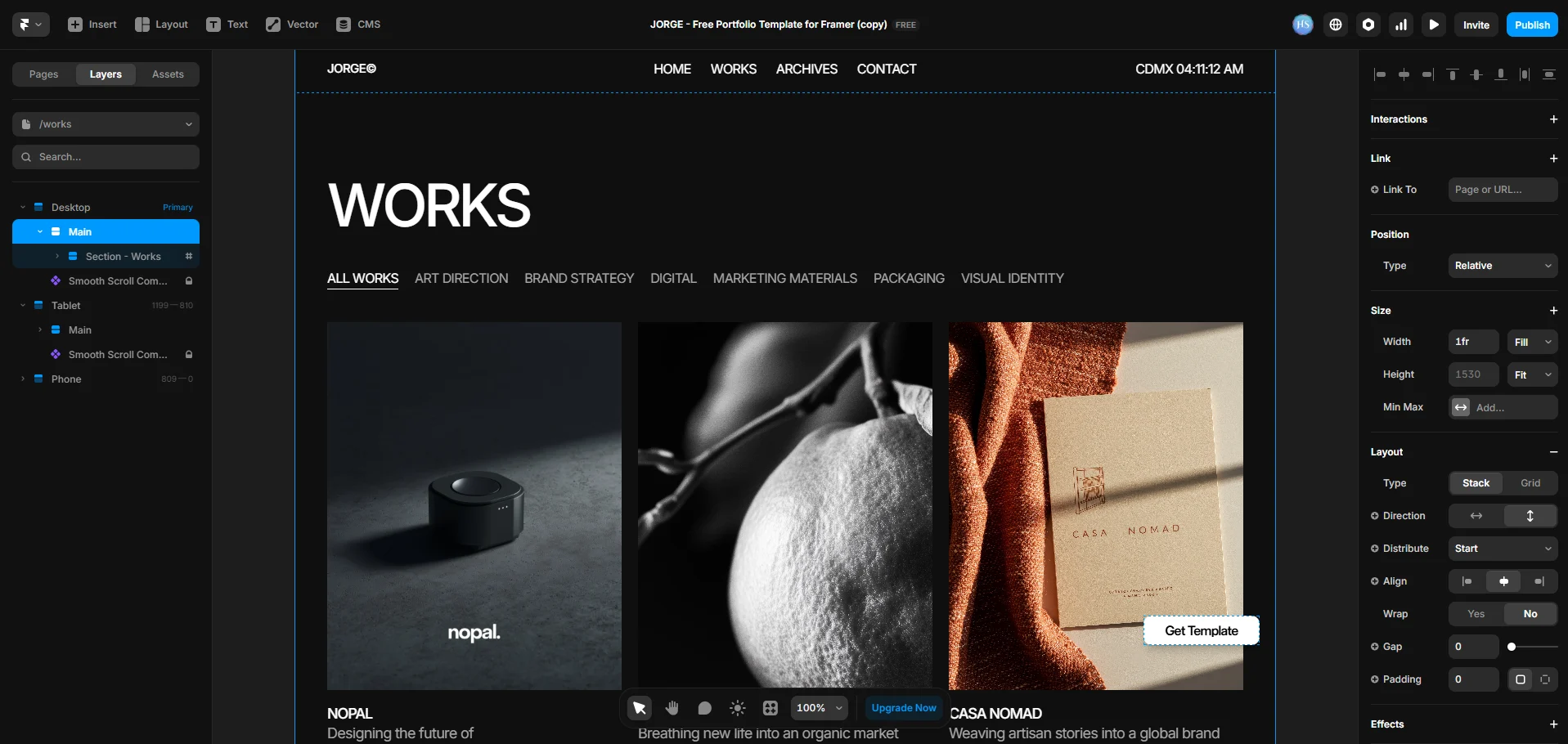
Framer is one of the most impressive website builders available in 2026. Originally built as a prototyping tool for designers, it has evolved into a full-featured website builder that produces visually striking, fast-loading sites — without requiring any code.
What makes Framer stand out for beginners is its combination of high design quality and a surprisingly intuitive editor. You can start from a template, customize it visually, and publish a professional site in a matter of hours. The templates are genuinely good — not the generic, interchangeable layouts you find on most builders.
Framer also has a generous free plan that lets you publish a site (with Framer branding) before you spend a penny. This is a rare feature among modern, design-focused builders and makes it one of the best ways to try a builder without financial commitment.
What Framer does well
- Template quality is consistently high — sites look modern and professional out of the box
- The editor is visual and fast — no confusing sidebars or overwhelming settings menus
- Free plan lets you publish and test before paying
- CMS features allow you to build blogs, portfolio galleries, and content-driven sites
- Fast page loading speeds, which is important for both user experience and SEO
What to keep in mind
- Framer has a learning curve compared to Wix — the editor is powerful but takes a day or two to feel natural
- eCommerce is limited — Framer is not a good choice if you want to run an online store
- Pricing can add up if you need a custom domain and CMS features together
Bottom line: Framer is our top recommendation for beginners who want a modern, design-forward site for a portfolio, personal brand, or startup. It looks better than most builders with far less effort.
2. Webflow — Best for Design-Minded Beginners Who Want Full Control
Best for: Beginners with some design interest who want pixel-level control over their site without writing code.
Starting price: Free plan available. Paid plans from $14/month.
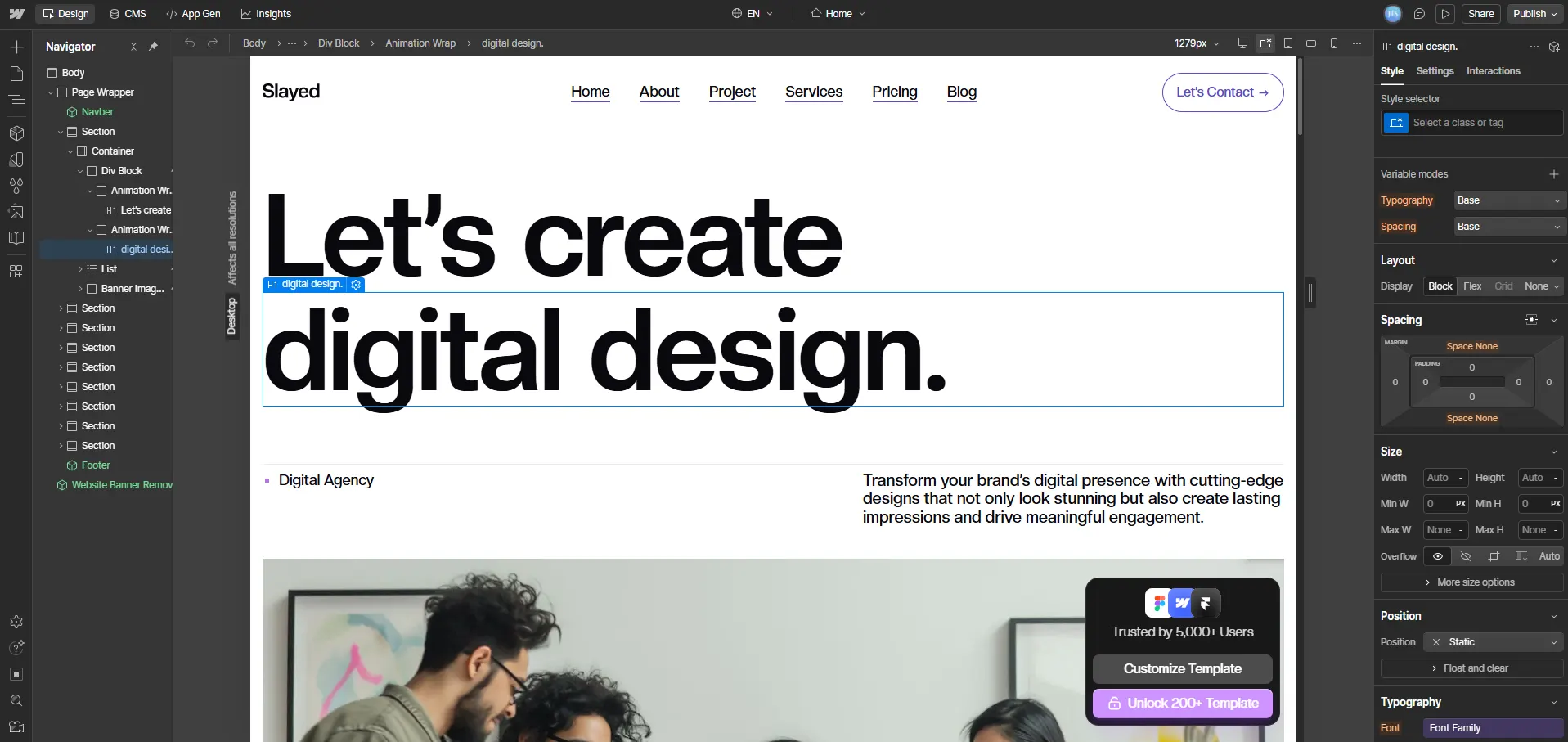
Webflow is the most powerful no-code website builder available today. It gives you the kind of design control that normally requires a developer — custom animations, complex layouts, responsive design controls — all through a visual interface.
That said, Webflow has a real learning curve. It is not the easiest builder for a complete beginner who wants to launch a site this weekend. But for someone willing to spend a week learning the tool, the payoff is significant. Your site will look and perform better than almost anything you could build on Wix or Squarespace.
Webflow is also one of the best website builders for SEO out of the box. It gives you full control over meta tags, structured data, page speed settings, and URL structure — features that most beginner builders either hide or limit.
What Webflow does well
- Unmatched design flexibility for a no-code tool
- Excellent SEO controls — full access to meta tags, canonical URLs, and schema
- CMS is powerful — great for blogs, portfolios, and content-heavy sites
- Webflow University offers free, high-quality tutorials for beginners
- The free plan lets you build and test before upgrading
What to keep in mind
- Steeper learning curve than Framer, Wix, or Squarespace
- Pricing is higher than most beginner builders once you need a custom domain and CMS
- Not ideal for eCommerce at the beginner level — Shopify is a better choice for stores
Bottom line: Webflow is the right choice if you are willing to invest time learning it and want the most control over how your site looks and performs. If you want something faster to launch, start with Framer instead.
3. Shopify — Best for Beginners Building an Online Store
Best for: Anyone who wants to sell products online, from a single-product store to a full eCommerce business.
Starting price: $29/month (Basic plan). $1/month for 3 months.
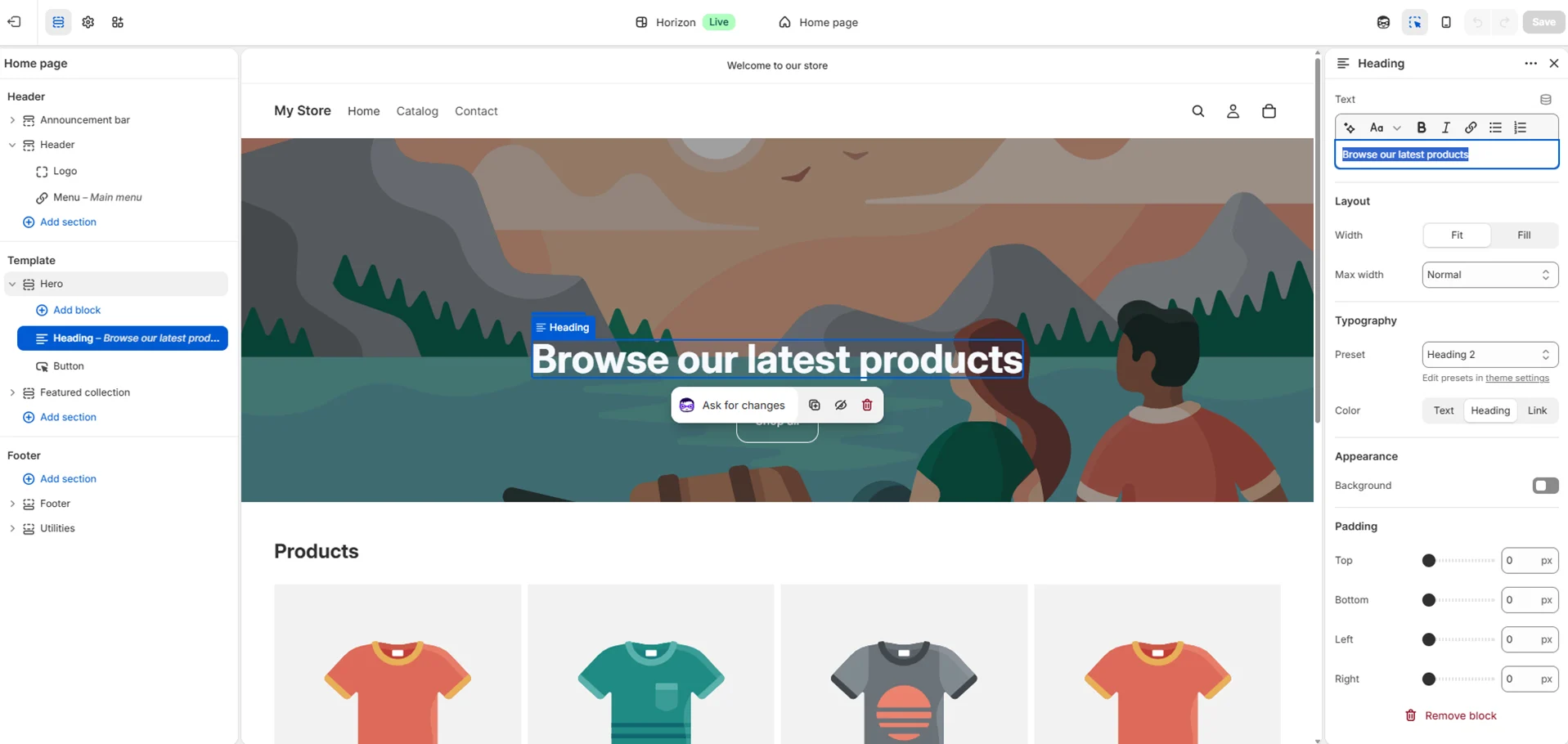
If you want to build an online store, Shopify is the best beginner option available. It is purpose-built for eCommerce and handles everything from product listings and checkout to payments, shipping, and inventory — all in one place.
Shopify’s setup process is beginner-friendly. You can add products, set up payment processing, and launch a store without any technical knowledge. The platform also has an enormous app ecosystem, which means you can add features like reviews, subscriptions, or upsells without touching any code.
Shopify’s themes are clean and conversion-focused. While they are not as design-forward as Framer or Squarespace, they are built to sell — and that is what matters for an eCommerce beginner.
What Shopify does well
- The best eCommerce infrastructure for beginners — payments, shipping, and inventory are all handled
- Thousands of apps to extend functionality without code
- Reliable uptime and fast performance even during high-traffic periods
- Strong SEO foundation with automatic sitemap generation and customizable meta fields
- 24/7 customer support, which is rare among website builders
What to keep in mind
- Shopify is overkill if you do not plan to sell products — use Framer or Wix instead
- The $29/month starting price is higher than most other builders on this list
- Transaction fees apply unless you use Shopify Payments
Bottom line: Shopify is the clear choice for beginners who want to sell online. If your goal is anything other than eCommerce, a different builder will serve you better.
4. Wix — Best for Beginners Who Want Maximum Flexibility
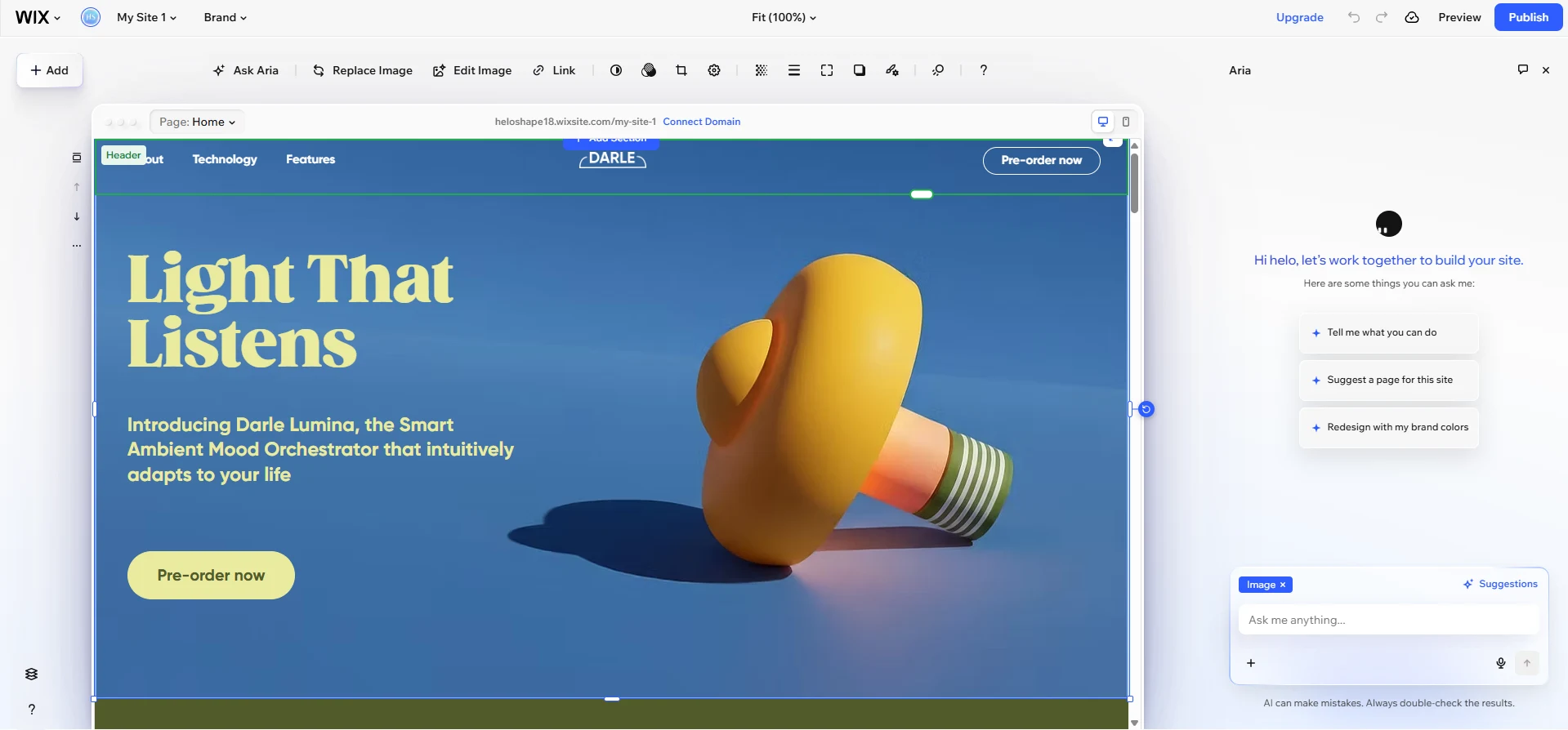
Best for: General beginners who want a flexible, all-in-one builder for any type of website.
Starting price: Free plan available. Paid plans from $17/month.
Wix is the world’s most popular website builder, and for good reason. It offers more built-in features than almost any other platform — a drag-and-drop editor, a massive template library, an app market with hundreds of add-ons, and built-in tools for blogs, bookings, events, and more.
For a complete beginner, Wix can feel overwhelming at first. There are a lot of options, a lot of templates, and a lot of settings to explore. But that flexibility is also its strength. Whatever type of site you want to build — a blog, a portfolio, a local business site, a restaurant menu — Wix has a template and a set of tools designed for it.
What Wix does well
- The most flexible drag-and-drop editor among mainstream builders
- Huge template library with designs for virtually every use case
- App market with hundreds of integrations, many of them free
- Free plan lets you test the platform before committing
- AI-powered site builder (Wix ADI) can generate a starter site in minutes
What to keep in mind
- The sheer number of options can be overwhelming for beginners who just want to launch quickly
- Once you choose a template on Wix, you cannot switch to a different one without rebuilding your site
- The free plan shows Wix branding and uses a Wix subdomain — you will need a paid plan for a professional look
Bottom line: Wix is ideal for beginners who want the most options and do not mind spending time exploring the platform. If speed of launch matters more to you than flexibility, Framer is a faster path to a polished result.
5. Squarespace — Best for Portfolios, Blogs, and Creative Sites
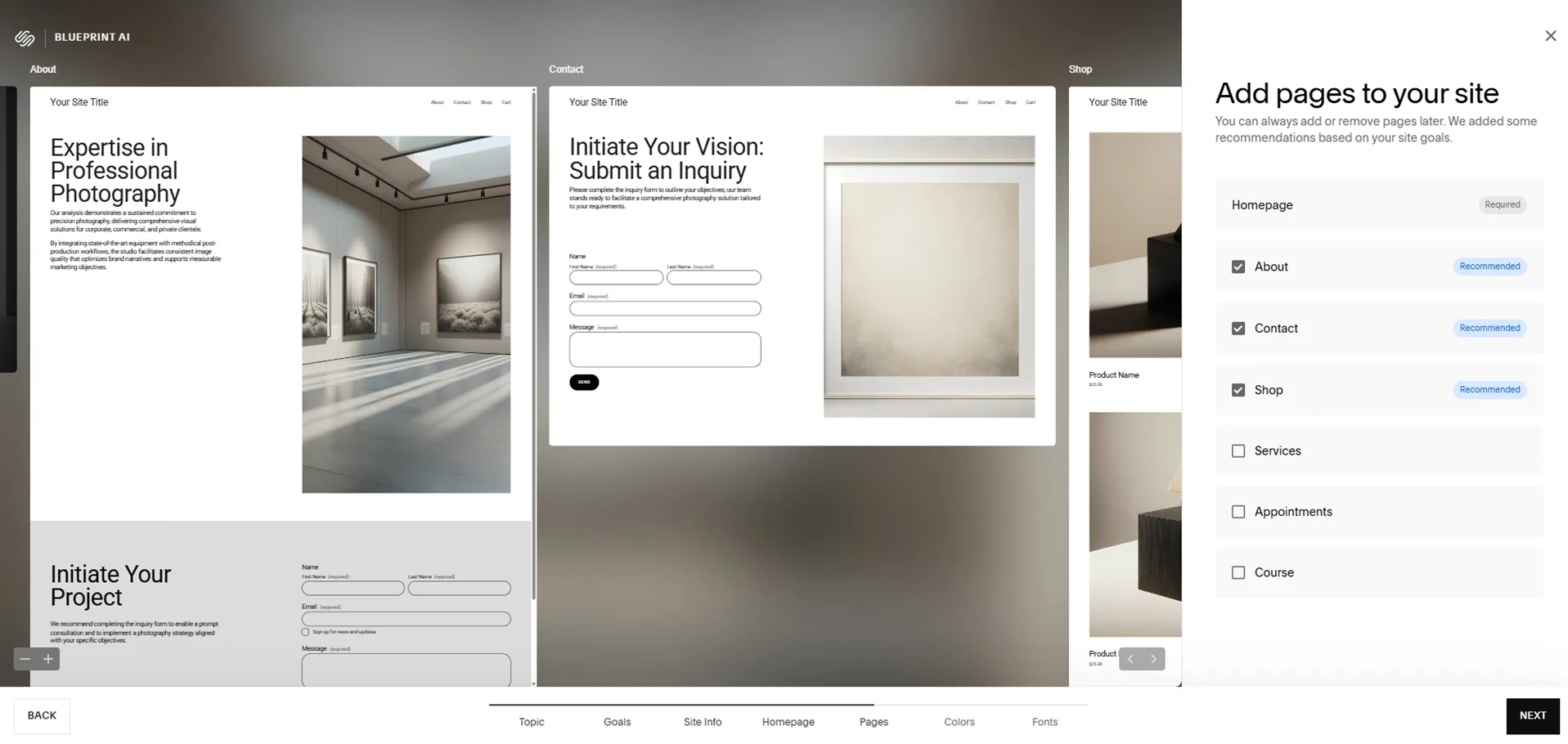
Best for: Photographers, designers, writers, and anyone who prioritizes beautiful design for a portfolio or blog.
Starting price: Plans from $16/month. 14-day free trial available.
Squarespace has built its reputation on design quality. Its templates are among the most polished and visually consistent in the industry, which is why it is the go-to platform for photographers, designers, and creative professionals who want their work to look its best online.
The Squarespace editor is intuitive and beginner-friendly — more streamlined than Wix, though with less flexibility. You edit your site in a visual preview mode that shows you exactly how the page will look before you publish. This makes it one of the easiest builders to use without feeling lost.
What Squarespace does well
- Template quality is consistently excellent — great for visually led work
- Clean, streamlined editor with a gentle learning curve
- Good built-in blogging tools and SEO features
- All plans include hosting, SSL, and a free domain for the first year
- Strong eCommerce tools — a solid alternative to Shopify for simpler stores
What to keep in mind
- Less design flexibility than Wix or Webflow — you work within the template’s structure
- No free plan — you will need to start a 14-day trial and then pay
- Can feel limited as your site grows and you want more advanced features
Bottom line: Squarespace is the best choice for creative professionals who want a beautiful site without a steep learning curve. If you are a photographer, blogger, or designer, it is hard to beat.
6. WordPress.com — Best for Bloggers and Content-First Sites
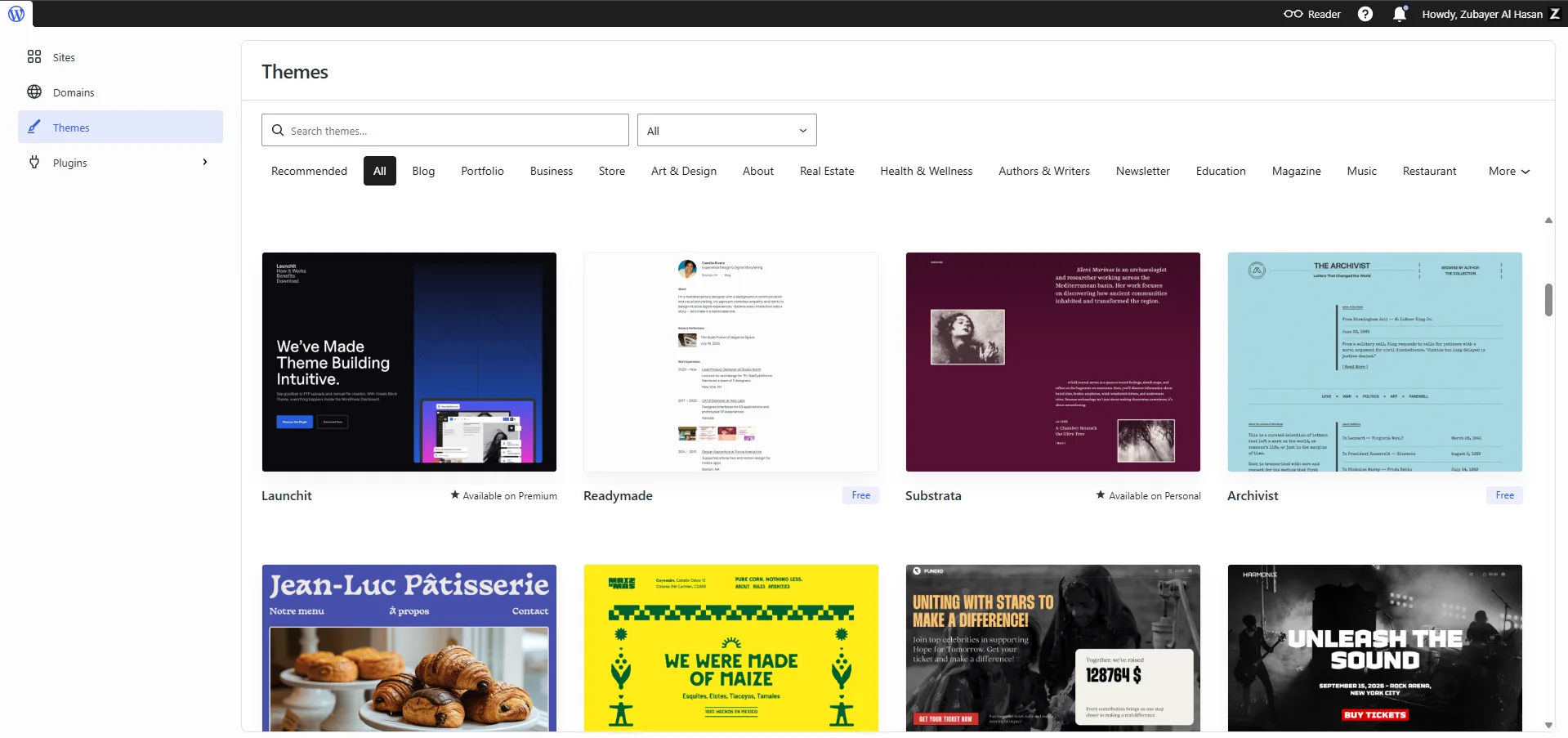
Best for: Bloggers, publishers, and content-first sites that need strong writing tools and long-term SEO potential.
Starting price: Free plan available. Paid plans from $4/month.
WordPress.com (not to be confused with WordPress.org, the self-hosted version) is a fully managed platform built on the world’s most popular content management system. It is the best option for beginners who plan to publish a lot of written content and want strong blogging tools without managing their own hosting.
WordPress.com is not the easiest builder to use for visual design, but its content tools are unmatched. Categories, tags, scheduling, post formats, and a clean writing editor make it the most capable platform for content-focused sites.
What WordPress.com does well
- The best blogging and content management tools of any builder on this list
- A free plan lets you launch and publish without spending anything
- Affordable paid plans starting at $4/month
- Strong SEO foundation, especially for text-heavy content sites
- Familiar interface if you ever want to move to self-hosted WordPress later
What to keep in mind
- Visual design customization is more limited than Framer, Wix, or Webflow
- Some features — like custom plugins and themes — are locked behind higher-tier plans
- The editor (Gutenberg) has a learning curve for complete beginners
Bottom line: WordPress.com is the right choice if content and blogging are at the core of your site. For visual design or eCommerce, one of the other builders on this list will serve you better.
7. Nicepage — Best for Offline Editing and CMS Export
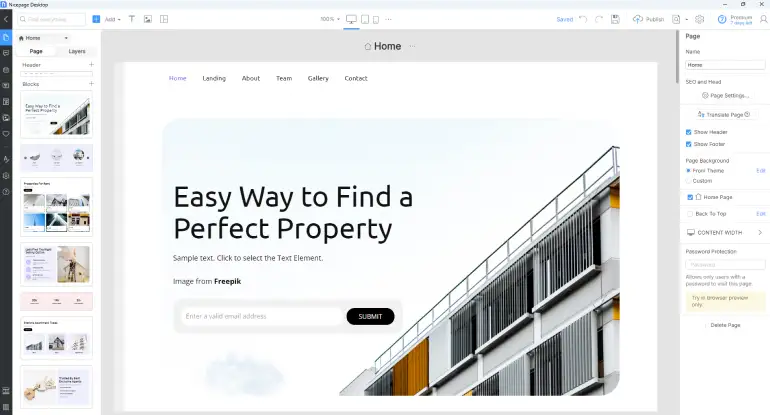
Best for: Users who want a massive template library, desktop offline editing, or the ability to visually design custom themes for WordPress and Joomla.
Starting price: Free plan available. Paid plans available from $6.75/month (billed annually).
Nicepage is a unique hybrid system in the website builder space. While most platforms on this list are strictly browser-based, Nicepage offers an online builder alongside full desktop applications for Windows and Mac OS. This means you can actually build and edit your website designs offline, a rare and highly useful feature among modern builders.
What makes Nicepage stand out for beginners is its true freehand drag-and-drop editor and a massive library of over 15,000 mobile-friendly templates and block layouts. It also features an AI page builder to help generate a starting point without staring at a blank canvas. However, its biggest superpower is its export flexibility. You can design a site visually in Nicepage and then export it as a static HTML site, a WordPress theme, or a Joomla template. This makes it an excellent bridge for beginners who want the power of WordPress but find its native visual editors too restrictive.
What Nicepage does well
- Unique desktop applications (Windows and Mac) allow you to design and save your work offline
- A massive library of over 15,000 designer-made templates and block layouts
- The ability to export designs directly to WordPress, Joomla, WooCommerce, and HTML
- A true freehand visual drag-and-drop editor that requires absolutely no coding
- Very affordable paid entry point starting at just $6.75/month
What to keep in mind
- While you can export to WordPress and Joomla, you cannot edit those themes directly inside the CMS once they are exported
- The free plan is limited to 2 projects, and advanced features require higher-tier plans
- Advanced eCommerce capabilities require the Pro or Ultimate tiers
Bottom line: Nicepage is a highly versatile choice if you prefer creating designs locally on your computer or if you want the easiest visual way to generate custom themes for WordPress and Joomla without writing a single line of code.
How to Choose the Right Website Builder as a Beginner
The best website builder for you depends on what you are building. Use this simple decision guide:
- You want a modern portfolio or startup site → Choose Framer
- You want full design control and are willing to learn → Choose Webflow
- You want to sell products online → Choose Shopify
- You want the most flexible all-in-one builder → Choose Wix
- You want a beautiful design for a creative portfolio → Choose Squarespace
- You want to run a blog or content site → Choose WordPress.com
- You need a hybrid system and offline work power → Choose Nicepage
If you are still not sure, start with Framer. It has the best combination of ease of use, design quality, and a free plan that lets you test the platform before paying. Most beginners who try it are surprised by how quickly they can build something they are genuinely proud of.
Not sure where to begin?
Check out the step-by-step guide about How to Start an Online Business in 2026 (Step-by-Step for Beginners)
Check the details review about Framer and Webflow.
Choose one, but still confused which one to select? Check our Comparison guide about Webflow vs Framer, The Honest Guide You Actually Need
Frequently Asked Questions
Which website builder is easiest for complete beginners?
Framer and Wix are the two easiest options for complete beginners. Framer is better if you want a modern, design-forward result quickly. Wix is better if you want the most features and flexibility to explore at your own pace.
Can I build a website for free?
Yes. Framer, Wix, and WordPress.com all offer free plans that let you publish a real website without paying. The limitation is that your site will show the platform’s branding and use a subdomain (e.g., yoursite.framer.website). For a custom domain, you will need a paid plan.
Do I need coding skills to use these builders?
No. All six builders on this list are designed for people without coding experience. You build your site visually using templates, drag-and-drop tools, and preset design options. You can always add custom code later if you want, but it is never required.
What is the difference between a website builder and WordPress?
Hosted website builders like Framer, Wix, and Squarespace handle everything for you — design, hosting, security, and updates — in one platform. WordPress.org (self-hosted) gives you more control and flexibility but requires you to manage your own hosting, security, and software updates. For beginners, a hosted builder is usually the faster and simpler path.
Which website builder is best for SEO?
Webflow offers the most advanced SEO controls of any website builder. Framer and Squarespace also have strong SEO foundations. Wix and Shopify have improved significantly in recent years. All six builders on this list support the basic SEO features a beginner needs — meta tags, page titles, sitemap generation, and mobile optimization.
How much does a website builder cost per month?
Pricing ranges from free (with platform branding) to around $29/month for Shopify’s Basic plan. Most beginners will spend between $10 and $20 per month for a plan that includes a custom domain and removes branding. Framer and WordPress.com offer the most affordable paid entry points, starting around $10/month and $4/month respectively.
Ready to Build Your First Website?
You now have a clear picture of the six best website builders for beginners in 2026 — what each one does well, who it is for, and how much it costs. The next step is simple: pick one and start.
If you are still unsure, start with Framer. Create a free account, pick a template, and spend 30 minutes exploring the editor. You will know quickly whether it is the right fit for your goals.
