

You want a website. You have no design skills, no coding knowledge, and no time to sit through hours of tutorials. You just want something that looks good, works properly, and gets online fast.
That is exactly what the Best AI website builders for beginners are designed for. You describe what you want in plain English. The AI builds a website for you in minutes. Then you make small edits to personalise it. No code, no blank canvas, no guessing where to start.
But with dozens of tools now claiming to do this, picking the right one is not obvious. Some are genuinely beginner-friendly. Others require design experience to get good results. This guide cuts through the noise and gives you the 7 best options, what makes each one different, and a clear pick for your specific situation.
What Is an AI Website Builder?
A traditional website builder gives you a blank template and asks you to fill it in. You drag elements around, pick fonts, write your own copy, and spend hours making decisions you are not sure about.
An AI website builder works differently. It asks you a few questions about your business, your goals, and the style you want. Then it generates a complete website for you. The layout, the text, the images, and the structure are all created automatically. You start from something finished rather than something empty.
In 2026, most of the best website builders have added AI tools. Some are more useful than others. This list focuses on builders where the AI actually does the heavy lifting for beginners, not ones where AI is just a footnote.
💡 Important to know: AI generates a starting point. You will still need to review the copy, replace stock images with your own photos, and check that the site reflects your actual brand. The AI saves you hours on setup. It does not replace your judgment.
Two Types of AI Builders: Know the Difference
Before jumping into the list, here is something most guides skip. AI website builders in 2026 fall into two main types. Knowing which type you need saves you from picking the wrong tool.
Type 1: Generate-and-publish builders (Wix, Squarespace, Hostinger, Durable). These generate a complete website from your answers. You edit visually with drag-and-drop. No design knowledge needed. Best for beginners.
Type 2: Design-first AI builders (Framer, Webflow). These use AI to scaffold layouts but reward users who understand design concepts. The output can be more polished, but there is a learning curve. Better for creative beginners with patience.
This article covers both types clearly. We label each tool so you know which category it falls into.
What to Look for in an AI Website Builder
- AI site generation: Can the AI build a full site from a text prompt? Or does it just help with individual sections?
- Ease of editing: After the AI builds the site, how easy is it to make changes without knowing code?
- Free plan or trial: Can you test it properly before paying?
- Hosting included: Does the builder host your site for you, or do you need to buy hosting separately?
- Custom domain support: Can you connect a domain like yourbusiness.com rather than a builder subdomain?
- Built-in SEO tools: Does it help your site show up in Google search results?
Quick Comparison: 7 Best AI Website Builders for Beginners
Tool | Free Option | Starting Price | AI Generates Site? | Best Beginner Fit | Difficulty |
Wix + Harmony | Free plan | $17/mo (Light) | Yes (full site) | All-around sites | Very Easy |
Squarespace | 14-day trial | $12/mo | Blueprint AI | Portfolios, small biz | Easy |
Hostinger AI | No | $6.99/mo | Yes (Horizons) | Budget-first beginners | Very Easy |
Framer | Free plan | $10/mo (Basic) | Yes (AI gen) | Portfolios, personal sites | Moderate |
Durable | Preview (.durable.site) | $22/mo | 30-second gen | Service businesses | Very Easy |
Webflow AI | Free plan | $14/mo (Basic) | AI assist | Design-focused creators | Moderate |
10Web | 7-day trial | $10/mo | Yes (WP+AI) | WordPress fans | Moderate |
Pricing note: All prices listed are from official websites and accurate at time of writing. Prices can change. Always verify the current price on the official website before purchasing.
#1 Wix + Wix Harmony — Best All-Around AI Builder for Beginners
TYPE 1: GENERATE-AND-PUBLISH | FREE PLAN AVAILABLE | BEST OVERALL PICK
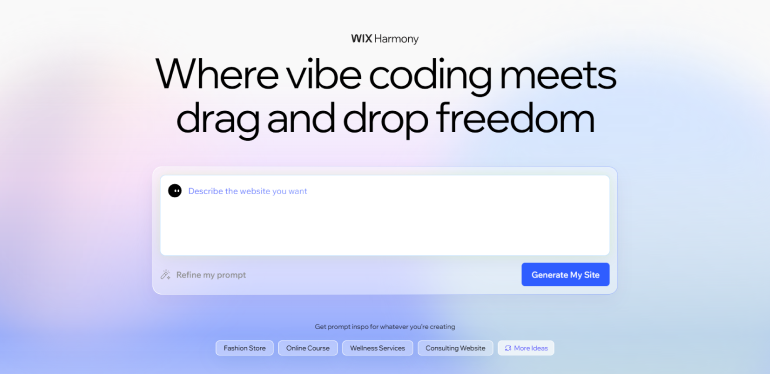
Wix has been building websites for non-technical users for over a decade. In 2026, it launched Wix Harmony, a new hybrid editor that combines AI generation with traditional drag-and-drop editing in one interface. You can generate a full site from a single prompt, then switch to drag-and-drop to refine any detail you want.
How the AI works: You type a description of your site. Wix Harmony generates a complete website with sections, copy, color palette, and layout. You can regenerate sections individually, swap styles, or edit anything manually. The AI text generator, AI image generator, and AI assistant are all available inside the editor.
Wix Aria: Alongside Harmony, Wix has Wix Aria, a 24/7 AI business assistant built into your dashboard. It answers questions, suggests actions, and helps with marketing tasks. For a beginner managing a website alone, having a built-in assistant is genuinely useful.
Pricing: Free plan available. Light plan from $17/month (billed annually). Core from $29/month. Business from $39/month. The free plan lets you build and host a site on a Wix subdomain. A paid plan is needed to connect a custom domain.
What Beginners Will Love
- Free plan lets you build and publish before paying anything
- Wix Harmony combines AI generation with easy drag-and-drop editing
- 20+ AI tools included across design, copy, images, and marketing
- Over 900 templates as a starting point if you prefer templates
- 99.99% uptime guarantee on all plans
- Wix Aria AI assistant available 24/7 for guidance
Watch Out For
- Free plan shows Wix branding; custom domain requires a paid plan
- The number of AI tools can feel overwhelming for some beginners
- Sites built with Wix cannot be exported to another platform later
🏆 Best For: Complete beginners who want the most beginner-friendly all-around AI builder with a free plan to start. Also great for small businesses, bloggers, and anyone who wants AI-assisted design plus a familiar drag-and-drop editor.
#2 Squarespace + Blueprint AI — Best for Design-Focused Beginners
TYPE 1: GENERATE-AND-PUBLISH | 14-DAY FREE TRIAL | PREMIUM DESIGN QUALITY
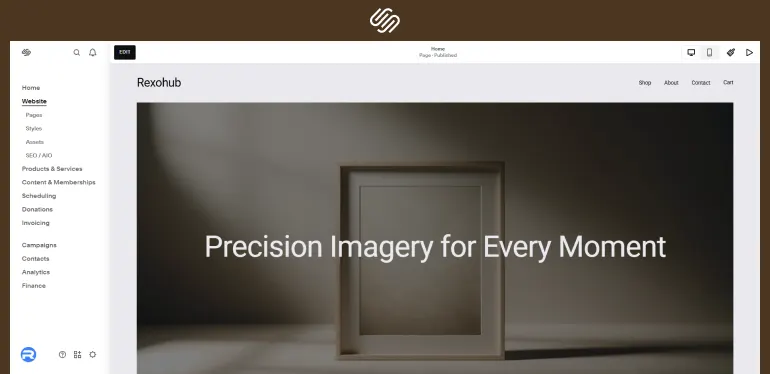
Squarespace is known for producing some of the most visually polished websites of any builder. In 2026, their Blueprint AI system takes you through a guided five-step design process before generating your site. You answer questions about your goals, your aesthetic, and your content, and Blueprint AI builds a fully customised site using Squarespace’s award-winning templates as the foundation.
How Blueprint AI works: You describe your business and choose from visual style options. Squarespace AI generates your pages, layout, and initial copy. From there, you use Squarespace’s editor to make changes. AI writing tools help you refine copy for product descriptions, blog posts, and email campaigns after launch.
2026 plan changes: Squarespace replaced its Personal and Business plans with new tiers called Basic, Core, and Advanced as of May 2026. These rolled out globally across 2025 and early 2026. For current pricing of each plan, visit squarespace.com/pricing, as pricing depends on your location and current promotions.
A 14-day free trial gives you full access to build and test your site before committing to a plan.
What Beginners Will Love
- Blueprint AI produces some of the best-looking AI-generated sites available
- All templates are professionally designed with strong visual consistency
- AI tools included for writing, images, and SEO after your site is live
- 14-day free trial to fully evaluate before paying
- Strong eCommerce features built in from day one
Watch Out For
- No permanent free plan; 14-day trial only
- Less design flexibility than Wix once you want to move elements outside the grid
- Pricing currently in transition; verify current plans at squarespace.com/pricing
🏆 Best For: Beginners who care most about how their site looks. Ideal for photographers, artists, service providers, and small businesses where visual presentation drives trust.
#3 Hostinger Horizons — Best Budget AI Builder with Hosting Included
TYPE 1: GENERATE-AND-PUBLISH | NO FREE PLAN | CHEAPEST ENTRY PRICE
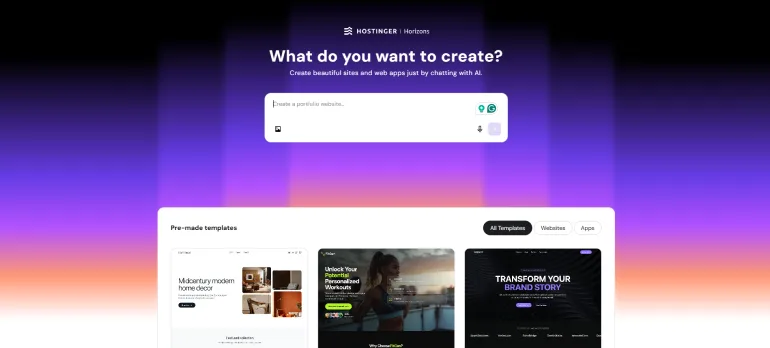
Hostinger is best known as a web hosting company. In 2026, it released Hostinger Horizons, a no-code AI builder where you describe what you want and the AI generates a full website. What makes Hostinger stand out in this list is that hosting is bundled into every plan. You do not pay separately for hosting and a builder. One subscription covers both.
How Horizons works: You describe your business in a few sentences. Horizons generates a complete site with pages, copy, and AI-selected images. You can then edit using a drag-and-drop interface. Hostinger’s AI assistant Kodee can answer questions and execute tasks through chat, including updating your site, checking performance, and troubleshooting issues.
Pricing: Plans start from $6.99/month on a promotional 48-month term. Renewal price is approximately $9.99/month. There is no free plan. A 30-day money-back guarantee applies. Always verify current pricing at hostinger.com/pricing.
What Beginners Will Love
- Lowest starting price of any full-featured AI builder on this list
- Hosting bundled in: no separate hosting subscription needed
- Kodee AI assistant can complete tasks through a chat interface
- 11 global data centers for fast load times internationally
- 30-day money-back guarantee
Watch Out For
- No free plan; entry requires payment
- Renewal price is significantly higher than the promotional intro price
- Design output is more basic compared to Wix or Squarespace
- Less design flexibility for creative sites
🏆 Best For: Budget-conscious beginners who want AI-generated websites with hosting already included. Great for freelancers, bloggers, and small businesses outside the US where data center location matters.
#4 Framer AI — Best for Design-Quality Portfolios and Personal Sites
TYPE 1/2: AI GENERATION + DESIGN CANVAS | FREE PLAN AVAILABLE | BEST PORTFOLIO OUTPUT
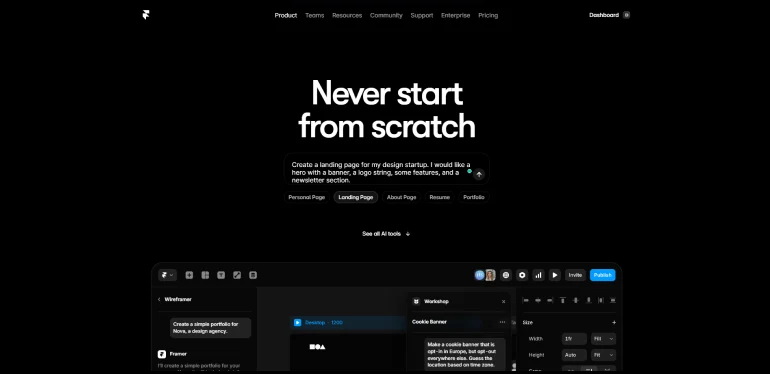
Framer started as a design prototyping tool and evolved into a full website builder. In 2026, it has a built-in AI site generator that creates complete website layouts from a text description. The quality of the output is noticeably higher than most other tools on this list in terms of design aesthetics and animation quality.
How the AI works: You type a description of your site. Framer generates a complete multi-page layout with sections, typography, color palette, and smooth animations. You can customise everything on a freeform canvas. This is different from a grid-based builder: you can place elements anywhere, resize them freely, and create layouts that look hand-crafted.
Learning curve: Framer is labeled Type 1/2 because it sits between a pure generate-and-publish tool and a design-first tool. The AI generation is genuinely beginner-friendly. But getting the most out of the editing canvas does require learning a few concepts like Stacks (Framer’s version of layout rows and columns). Budget an afternoon to get comfortable with it.
Pricing: Free plan available with unlimited projects on a Framer subdomain. Basic plan from $10/month for a custom domain. A free Basic plan is available for verified students. Always verify current pricing at framer.com/pricing.
What Beginners Will Love
- AI-generated sites have outstanding design quality and animations
- Free plan is genuinely useful for learning and testing
- Freeform canvas gives real creative control once you learn it
- Framer Academy has free beginner tutorials
- Student free plan available
Watch Out For
- Canvas editing has a moderate learning curve for complete beginners
- Less suited for content-heavy sites like large blogs or eCommerce stores
- Customisation requires understanding concepts like Stacks and breakpoints
🏆 Best For: Beginners who care about design quality and want a portfolio, personal brand site, or startup marketing page that looks visually distinctive. Worth the small extra learning time.
#5 Durable — Fastest AI Website Generator for Service Businesses
TYPE 1: GENERATE-AND-PUBLISH | FASTEST SETUP | BUSINESS TOOLS INCLUDED
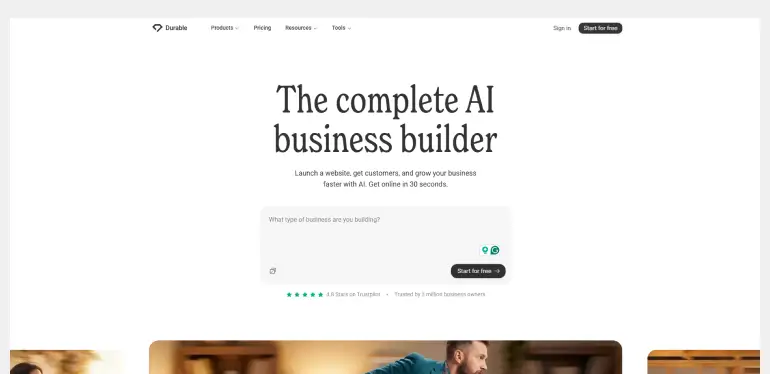
Durable does one thing faster than any other tool on this list: it generates a complete website in approximately 30 seconds. You answer three questions about your business type, name, and location. Durable produces a full website with industry-specific copy, contact forms, and a basic layout. It is the fastest path from idea to live website available in 2026.
What makes it different: Durable is designed specifically for service businesses. Plumbers, photographers, consultants, coaches, and freelancers are its core users. Beyond the website, every Durable account includes a CRM to manage leads, an invoicing tool to get paid, and AI marketing tools to write blog posts, social media content, and Google ads. It replaces several separate tools with one subscription.
Customisation: You can change colours, fonts, images, and text using a simple editor. The customisation options are less extensive than Wix or Squarespace. If deep design control matters to you, Durable is not the right pick. If getting a clean, functional business site online in under an hour matters more, it delivers.
Pricing: Free plan available (Publish to .durable.site subdomain). Prices start from $12/month. This includes hosting, a custom domain, CRM, invoicing, and AI marketing tools. Verify current pricing at durable.co.
What Beginners Will Love
- Fastest website generation: complete site in approximately 30 seconds
- All-in-one platform includes CRM, invoicing, and marketing tools
- Industry-specific AI copy requires minimal editing for service businesses
- Simple editor requires no design knowledge
- Over 10 million websites have been launched on the platform
Watch Out For
- Less design flexibility than Wix, Squarespace, or Framer
- Best suited for service businesses; less ideal for creative portfolios or stores
- No permanent free plan; preview available, but publishing in own domain requires payment
🏆 Best For: Service business owners and freelancers who need a professional online presence as quickly as possible. Coaches, consultants, photographers, and local service providers.
#6 Webflow AI Site Builder — Best for Beginners Ready to Grow into Design Control
TYPE 1: GENERATE-AND-PUBLISH | FASTEST SETUP | BUSINESS TOOLS INCLUDED
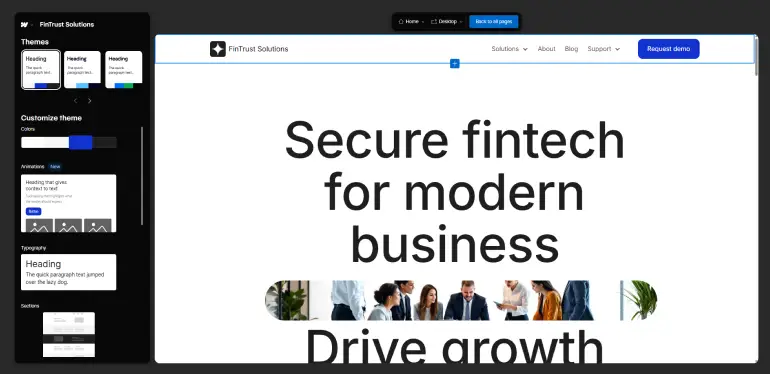
Webflow is the most powerful website builder on this list. It gives you complete control over your site’s design, layout, and code output. The Webflow AI Site Builder is currently in active development. It generates initial layouts and uses an AI assistant to help with content, style suggestions, and design decisions as you build.
Who Webflow is for: Webflow is not the easiest entry point for day-one beginners. It has a steeper learning curve than Wix or Squarespace because it works with CSS-style layout concepts. But for beginners who want to invest a week or two into learning, the reward is a level of design control and performance that cheaper tools cannot match. Webflow University offers free structured courses specifically for beginners.
Pricing: Free plan available. Basic site plan from approximately $14/month (billed annually). CMS plan from approximately $23/month. Business plan from approximately $39/month. Verify current pricing at webflow.com/pricing as plans change.
What Beginners Will Love
- Highest design ceiling of any no-code builder: pixel-perfect layouts
- Free plan lets you build and experiment before paying
- Webflow generates clean HTML/CSS code, which is fast and SEO-friendly
- AI assistant helps with layout and content suggestions as you build
- Webflow University offers free structured beginner courses
Watch Out For
- Steeper learning curve than Wix, Squarespace, or Hostinger
- AI site generation features are still in active development as of 2026
- Best results come after spending several days with Webflow University
🏆 Best For: Beginners who are willing to spend a few days learning and want a professional-grade result. Designers, freelancers, and people building client sites.
#7 10Web — Best AI Builder for WordPress Fans
TYPE 1: GENERATE-AND-PUBLISH | 7-DAY TRIAL | WORDPRESS-POWERED
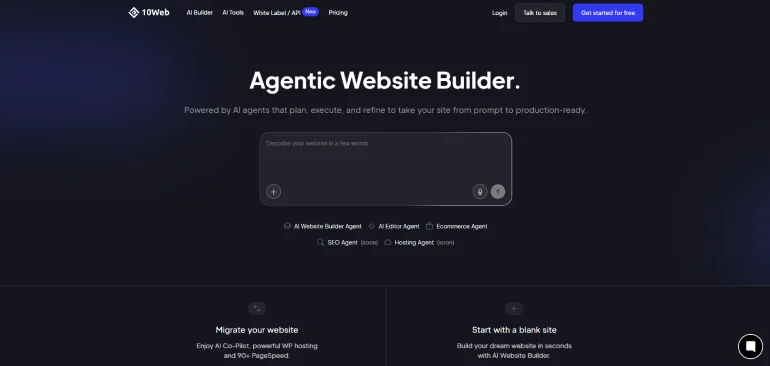
10Web is an AI-powered WordPress platform. It generates a complete WordPress website from a text description and hosts it on Google Cloud infrastructure. The editing is handled through Elementor, one of the most widely used WordPress page builders. If you want the flexibility of WordPress without the technical setup, 10Web bridges that gap.
How it works: You describe your site or enter a competitor’s URL for 10Web to recreate the structure. The AI generates pages, content, and layout. You then edit using the Elementor visual editor, which offers extensive customisation. 10Web also automatically optimises your site for speed and targets a PageSpeed score above 90.
Who it is for: 10Web works best if you already have some familiarity with WordPress, or if you want to learn it. The Elementor editor is powerful but requires more time to master than Wix or Squarespace. If you have never touched WordPress before and just want something fast and simple, start with Wix or Squarespace instead.
Pricing: Plans start from $10/month (billed annually) for one website with hosting on Google Cloud. 7-day free trial available. Verify current pricing at 10web.io.
What Beginners Will Love
- Combines AI site generation with the full power of WordPress
- Google Cloud hosting with automated performance optimisation
- Elementor editor offers extensive customisation options
- Can recreate the layout of an existing site from a URL
- 7-day free trial to test before committing
Watch Out For
- Elementor has a learning curve; it’s not as beginner-friendly as Wix
- WordPress ecosystem adds complexity for complete beginners
• Best appreciated by users with some prior WordPress experience
🏆 Best For: Beginners who want to learn WordPress, or existing WordPress users who want AI assistance and managed hosting in one platform.
Which AI Website Builder Should You Choose?
Here is the honest recommendation based on your situation:
If you want the easiest possible starting point:
Choose Wix with Wix Harmony. The free plan lets you start without paying. The AI generates a full site from a prompt. The drag-and-drop editor makes changes straightforward. It covers almost every use case for a beginner.
If design quality is your top priority:
Choose Squarespace Blueprint AI for polished, professional design. Or choose Framer if you want a visually distinctive portfolio and are willing to spend a couple of days with Framer Academy.
If you are on a very tight budget:
Choose Hostinger. The intro price is the lowest on this list and hosting is included. Budget for the higher renewal rate from the start.
If you need a business site in the next hour:
Choose Durable. Answer three questions and your site is live. The CRM and invoicing tools included make it a full business platform, not just a website.
If you want to grow into real design skills:
Choose Webflow. Start with the free plan and Webflow University. The learning investment pays off with a level of design control no other tool matches.
🏆 Bottom line: For most beginners in 2026, Wix with Wix Harmony is the safest starting point. A free plan, full AI generation, and a simple editor cover almost every beginner’s need. Start free, build your site, and upgrade when you are ready.
Frequently Asked Questions
Q: Can AI really build a website for me without any skills?
Yes, in 2026 AI website builders can generate a complete website from a short text description. Tools like Wix Harmony, Durable, and Hostinger Horizons create full sites including layout, copy, and images in minutes. You will still need to review the copy, replace stock images with your own, and check the details match your actual business. The AI handles the setup work. You handle the final personalisation.
Q: What is the best free AI website builder for beginners?
Wix offers the strongest free plan for AI website building. You can build and publish a site on a Wix subdomain at no cost. Wix Harmony AI tools are included on the free plan. Framer also has a free plan on a Framer subdomain. To connect a custom domain on either platform, you need a paid plan.
Q: How long does it take to build a website with AI?
Durable can generate a complete website in approximately 30 seconds from three questions. Wix Harmony and Squarespace Blueprint AI typically take 2 to 5 minutes to generate a full site. Adding your own content, photos, and reviewing the copy takes additional time, usually one to three hours for a complete beginner. You can realistically have a live website in a single afternoon.
Q: Do AI website builders include hosting?
Most do. Wix, Squarespace, Hostinger, Durable, Framer, and 10Web all include hosting as part of their subscription. Webflow also includes hosting. You do not need to buy hosting separately for any tool on this list. This is one of the key advantages of using an all-in-one website builder compared to self-hosted WordPress.
Q: Is it better to use an AI website builder or hire a web designer?
For most beginners launching a first website, an AI website builder is the right choice. It is faster, more affordable, and gives you direct control over your content. Hiring a web designer makes sense when you have specific custom requirements, complex functionality, or a large budget. An AI builder can produce a professional result in hours for under $20 per month. A custom web designer typically costs hundreds to thousands of dollars.
Conclusion: The Best AI Website Builders for Beginners in 2026
The best AI website builders for beginners in 2026 have made it genuinely easy to launch a professional website without coding, design skills, or a large budget. You describe what you want. The AI builds it. You refine the details and publish.
For most beginners, Wix Harmony is the safest starting point. The free plan removes the financial risk. The AI handles the setup. And the drag-and-drop editor makes personalisation simple. Squarespace wins on design quality. Durable wins on speed. Hostinger wins on price. Webflow wins on long-term potential.
Whatever you choose, the best tool is the one you actually use. Pick one from this list, start building today, and you will have a live website before the end of the week.
→ Check Best Website Builders In 2026
Not sure which builder is right for you? Read our guides on What Is Webflow and What Is Framer for a deeper look at two of the most powerful options on this list.
